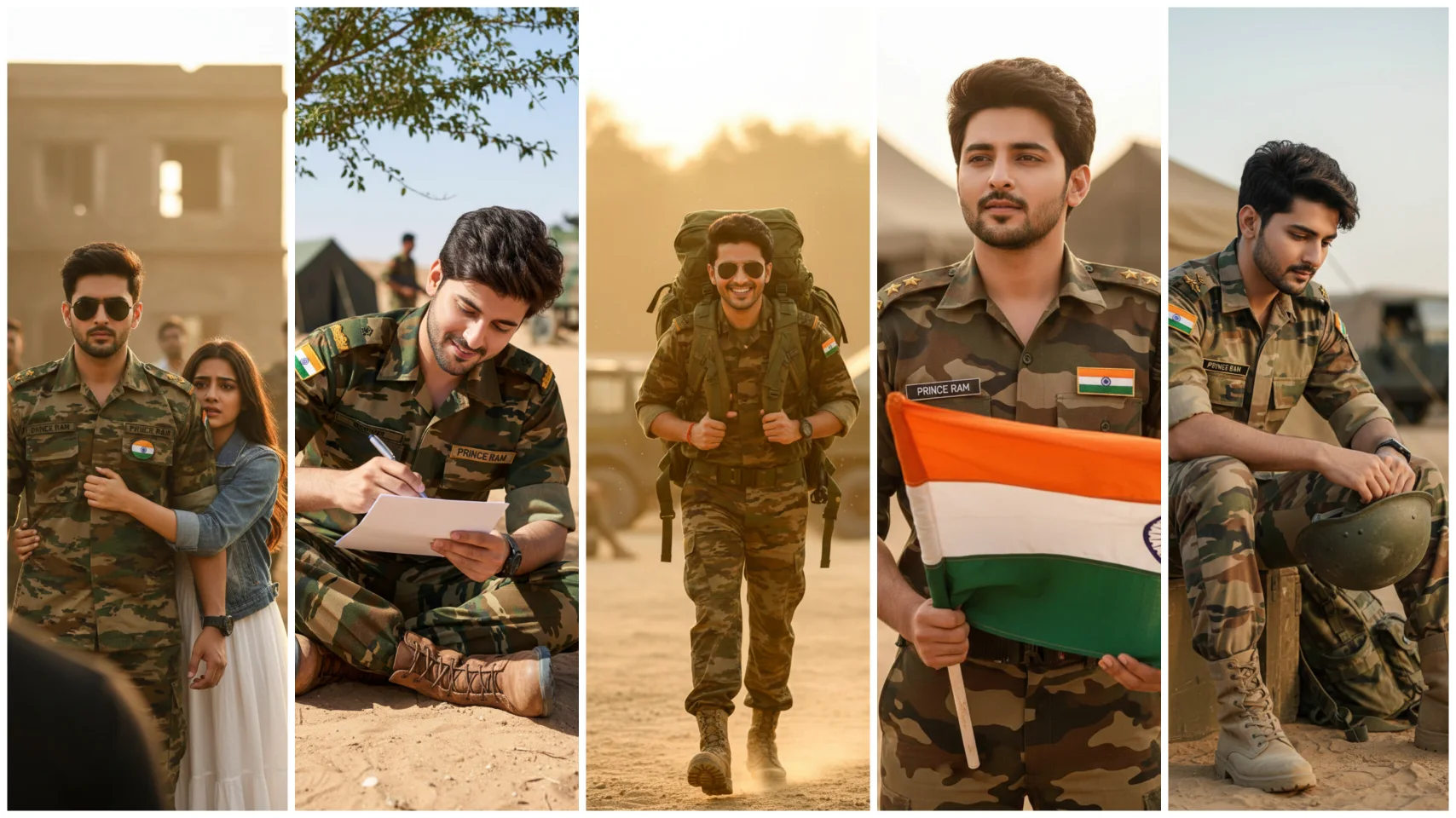
Friends, nowadays a new trend is becoming very viral on social media. You must have seen Indian Army style Ai photos on Instagram and Facebook, which people are liking very much. Everyone wants to have a strong Indian Army look photo. In these pictures, sharp expressions, strong personality and wonderful uniform of the Indian Army are seen, which is attracting people a lot.
For this reason, the trend of Indian Army Style Ai Photo Editing is increasing rapidly every day. People are creating a lot of such pictures with the help of AI tools like Google Gemini. If you also want to create an Indian Army style AI photo with Google Gemini, then in this article I will give you the Best Ai Prompt and will also tell you every step to create it, so that you can easily create your viral photo.
Details Of Inidan Army Ai Photo Editing Prompts
In this website you will find prompts to create not just one, but many different Indian Army style Ai photos. If you choose any of these photo styles, the photo will be 100% matching with your face. In this AI, your face is checked thoroughly, then AI photo is generated according to the face details, due to which the result looks absolutely real and wonderful.
In these AI pictures you will get to see Indian Army’s uniform, stunning background and professional look. With the help of this AI tool you can see yourself as an Indian soldier. One thing to keep in mind is that in the photo you use, your facial expressions should be absolutely correct and clear. With this, Google Gemini AI will prepare your army style photo in an even better way. Therefore, keep this in mind while choosing a photo.
Border Seen Army Ai Photo
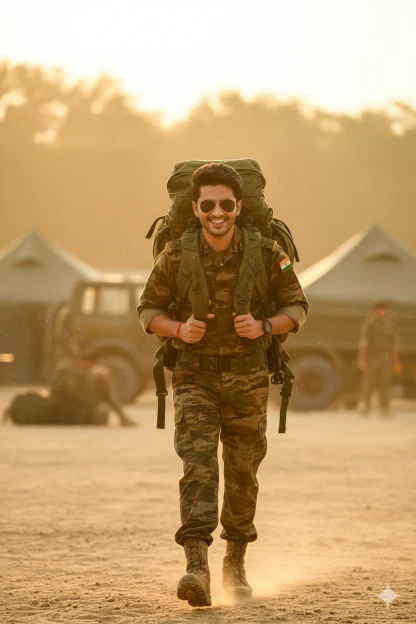
There is a young man who is wearing the uniform of the Indian Army in the desert and Prince Ram is written on his badge and there is an Indian flag badge on his dress and wearing boots on his feet, he is going home carrying his backpack etc. and behind him there is a tent etc. and this is the atmosphere of an army camp, this photo is a close-up, it is a completely realistic photo.
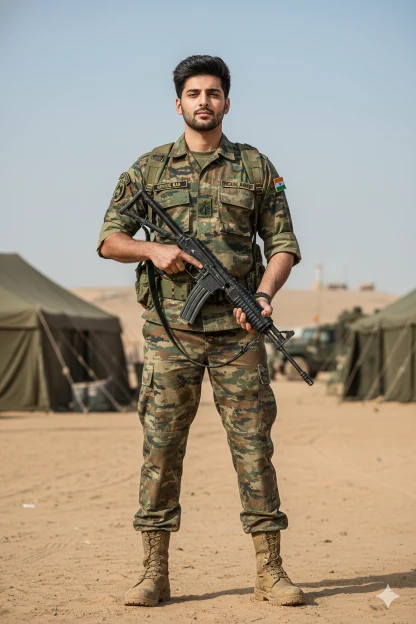
Indian Army With A Gun
IMPORTANT – FACE LOCK Keep the subject’s real face exactly the same as the reference image. Do NOT change facial structure, jawline, eye shape, nose, lips, skin tone, beard, hairline, age, or expression. Maintain 100% identity accuracy. No beautification, no face swapping, no AI alteration. Preserve natural skin texture, pores, asymmetry, and imperfections. The person must be instantly recognizable as the same individual.ASPECT RATIO • 3:4 verticalCreate an ultra-realistic cinematic HD photograph of a young Indian Army soldier standing alert inside a desert army camp.SUBJECT: A young Indian man wearing a complete Indian Army combat uniform. Uniform texture shows realistic dust, creases, stitching, and wear. Name badge clearly visible reading “Prince Ram”. Indian tricolor flag patch stitched on the uniform shoulder.POSE & BODY LANGUAGE: The soldier is standing firmly with feet shoulder-width apart. One hand resting on the rifle strap across his chest. Other hand relaxed near the belt. Chest open, shoulders straight. Body language shows discipline, confidence, and readiness.FACIAL DETAILS: Face perfectly sharp and clear. Natural skin texture visible. No smoothing, no glow, no editing. Eyes focused straight ahead with a calm, determined expression.FOOTWEAR & GEAR: Authentic Indian Army combat boots with sand marks. Tactical belt and basic army gear visible. Backpack resting lightly on one shoulder.BACKGROUND & ENVIRONMENT: Operational desert army camp. Canvas tents arranged behind him. Military vehicles faintly visible in distance. Sandy ground with footprints. Clear open sky with soft daylight.LIGHTING: Natural desert daylight. Balanced highlights on face. Soft realistic shadows. No artificial lighting.CAMERA & QUALITY: Professional DSLR look.
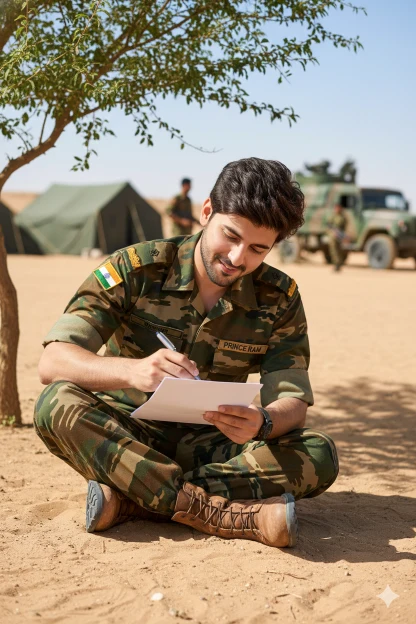
Army Uniform Ai Photo
There is a young man who is wearing the uniform of the Indian Army in the desert and Prince Ram is written on his badge and there is an Indian flag badge on his dress and wearing boots on his feet, he is sitting under the shade of a tree and writing a letter and there is a tent etc. behind him and this is the atmosphere of an army camp, this photo is a close-up, it is a completely realistic photo.
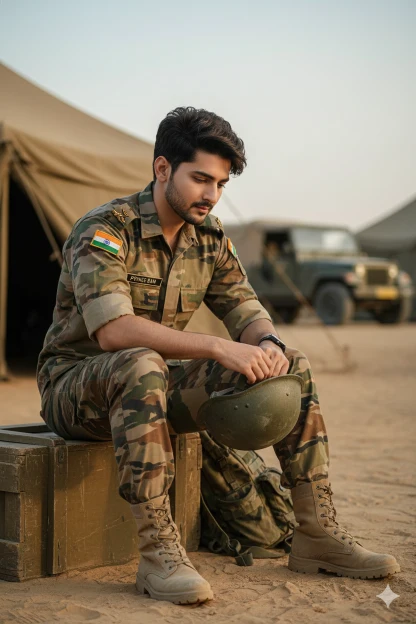
Army Uniform Ai Photo Prompt
IMPORTANT – FACE LOCK Keep the subject’s real face exactly the same as the uploaded reference image. Do NOT change facial structure, jawline, eye shape, nose, lips, skin tone, beard, hairline, age, or expression. Maintain 100% identity accuracy. No beautification, no face swapping, no AI alteration. Preserve natural skin texture, pores, asymmetry, and imperfections. The person must be instantly recognizable as the same individual.ASPECT RATIO • 3:4 verticalCreate a hyper-realistic cinematic HD photograph of a young Indian Army soldier resting after duty inside an army camp.SUBJECT: Young Indian man in Indian Army uniform. Uniform slightly worn, dusty from duty. Name badge reads “Prince Ram”. Indian flag badge visible on uniform.POSE & BODY LANGUAGE: The soldier is sitting on a wooden army crate. One elbow resting on his knee. Other hand loosely holding his helmet. Upper body slightly leaned forward. Pose feels calm, thoughtful, and grounded. Shows the human side of a soldier after duty.FACIAL EXPRESSION: Face perfectly clear and detailed. Natural skin texture preserved. Eyes slightly lowered, thoughtful gaze. Expression calm, composed, emotionally strong. No blur, no artificial glow.FOOTWEAR & GEAR: Army boots planted firmly on sandy ground. Helmet placed in hand. Backpack resting beside him.BACKGROUND & ENVIRONMENT: Inside an operational army camp. Canvas tents behind him. Military jeep parked at a distance. Soft dust particles in the air. Quiet evening camp atmosphere.LIGHTING: Soft natural evening light. Warm but realistic tones. Gentle shadows. Cinematic realism.CAMERA & STYLE: DSLR documentary photography style. Medium-close framing. Shallow depth of field.
How To Make Indian Army Ai Photo Using Prompt In Google Gemini?
Friends, it is very easy to make Indian Army AI photo using AI prompt in Google Gemini. You can make such photos very easily by using the prompt given above, so now read the steps given below carefully and start making your photo.
- First of all, choose your favorite Prompt from this website and copy.
- Now open Google Gemini in mobile app or browser and Sign In with your Gmail.
- Now click on the below (+) button and upload your photo (Photo should be clean and clear photo).
- Then paste the Prompt in the text box and send it.
- Now you have to wait for some time and your image will be created, after making the image you can download it.
Conclusion
You may also know that Indian military style AI pictures are quite trending on social media these days, and these are created very easily with the help of Google Gemini. You too can create a realistic Indian Army style photo by following the instructions given above.