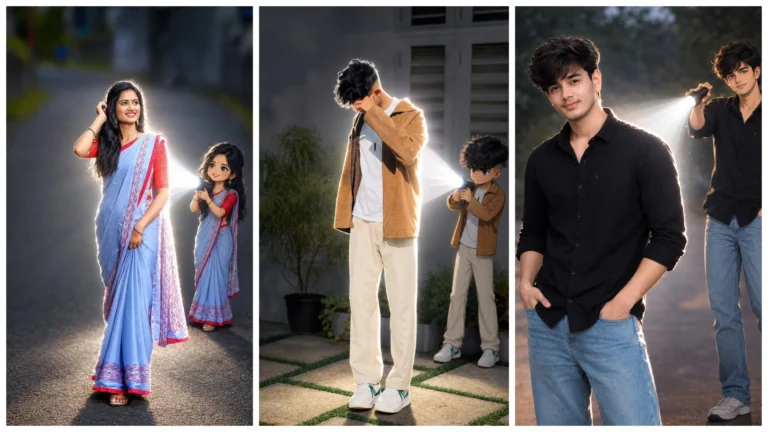
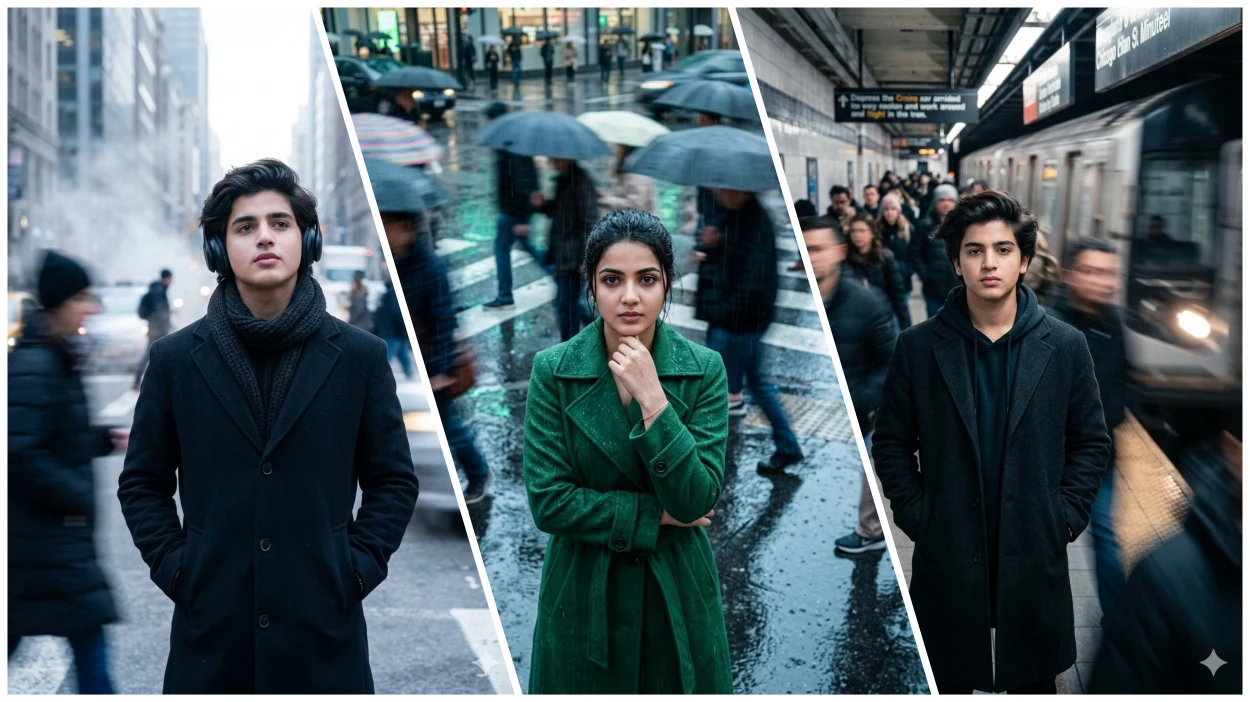
Friends, motion blur AI photo looks very unique and aesthetic, today we are going to give you a prompt for Google Gemini AI to do this photo editing. With the help of this ai prompt, you can create cinematic motion blur in any of your normal photos. Such photos look very creative.
Friends, let me tell you that these days such photos are being shared a lot on Instagram and Facebook. And it is also going viral. A lot of hard work is required to take and make such photographs. You must have seen that many people stand near the train. And when the train passes behind them at very high speed. So the photo taken at that time looks like motion blur.
Friends, our photos are also similar. If you have a normal photo in which you want to add this kind of motion blur, then you can do it very easily with the help of the AI prompt given by us. Nowadays, motion blur videos are also going viral very fast, but today we will teach you only how to make photos.
Details Of Motion Blur Ai Photo Editing Prompts
Friends, nowadays the trend of motion blur is going on, some are making their own photos and some are making their own videos. In this type of AI photo, a boy or a girl is seen standing absolutely stable, while everything around them like people walking behind, the road, or the surrounding environment looks blurred. And this effect is called motion blur. Such photos look cinematic, professional and eye-catching.
Friends, if you are thinking that the Portrait Mode in the camera app of your phone is like that, then it is not so at all. In Portrait mode, only the background is blurred, but in Motion Blur Effect, motion blur is seen in things that are moving. Due to this, dynamic movement effect is created.
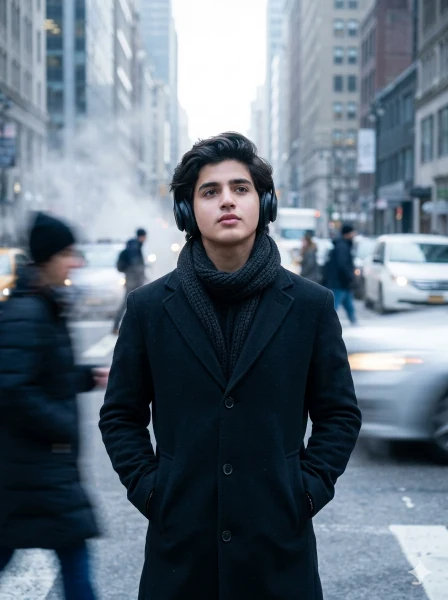
Boy On Road Motion AI Photo
Strictly use my uploaded image as the ONLY identity reference. Keep my face 100% exactly same — no face change, no reshaping, no beautification, no age change. Preserve exact facial features, proportions, skin tone, beard, hairstyle, and expression. If face mismatch, regenerate.
Ultra-realistic 8K cinematic winter street portrait, 3:4 vertical, hyper-detailed, razor-sharp face focus, visible skin pores, beard texture, natural skin tone, zero blur on subject, no CGI, no cartoon, no artificial smoothing.
A young man standing still in the middle of a busy winter city street while people move quickly around him with strong motion blur and soft light trails. Slight fog, urban buildings, cinematic cold atmosphere.
Pose: standing upright, both hands inside coat pockets, head slightly tilted upward, calm introspective thoughtful expression, eyes looking slightly upward.
Outfit: long wool coat, thick scarf around neck, over-ear headphones, realistic winter fabric texture.
Lighting: soft winter sunlight, cool-toned highlights on face, diffused shadows.
Style: cinematic emotional street photography, cool blue-grey-white tones, static ultra-sharp subject, blurred moving crowd.
Camera: 35mm lens look, slight wide-angle feel, subject centered or slightly off-center, shallow depth-of-field, HDR, ultra-real human photo.
Negative prompt: anime, cartoon, fake face, plastic skin, over-smooth face, blur on subject, distortion, CGI.
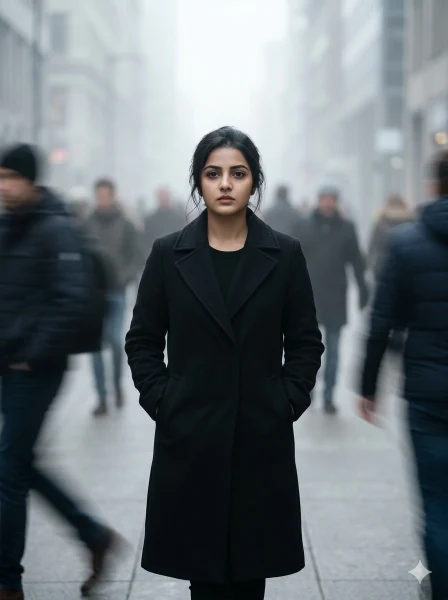
Girl On City Road Ai Prompt For Editing
Strictly use my uploaded image as the ONLY identity reference. Keep my face 100% exactly same — no face change, no reshaping, no beautification, no age change. Preserve exact facial features, proportions, skin tone, hairstyle, and expression. If face mismatch, regenerate.
Ultra-realistic 8K cinematic urban portrait, 3:4 vertical, hyper-detailed, razor-sharp face focus, visible skin pores, natural skin texture, zero blur on subject, no CGI, no cartoon, no fake skin.
A young woman walking forward slowly in a cold minimal city environment with soft fog or haze. Blurred pedestrians move quickly around her in all directions, creating strong contrast between stillness and motion.
Pose: walking forward, hands inside coat pockets, relaxed but purposeful posture.
Expression: neutral, serious, calm, introspective.
Outfit: long black coat with minimal inner outfit, clean modern editorial fashion look.
Lighting: soft diffused daylight with fog, smooth shadows, cinematic softness.
Style: editorial fashion photography, emotional realism, fine art street portrait, cool grey-blue-muted black tones, static ultra-sharp subject with long-exposure motion blur crowd.
Camera: 35mm lens look, slight wide-angle feel, shallow depth of field, HDR, subject centered or slightly off-center, real DSLR photo quality.
Negative prompt: anime, cartoon, CGI, plastic skin, over-smooth face, distortion, fake face, subject blur.
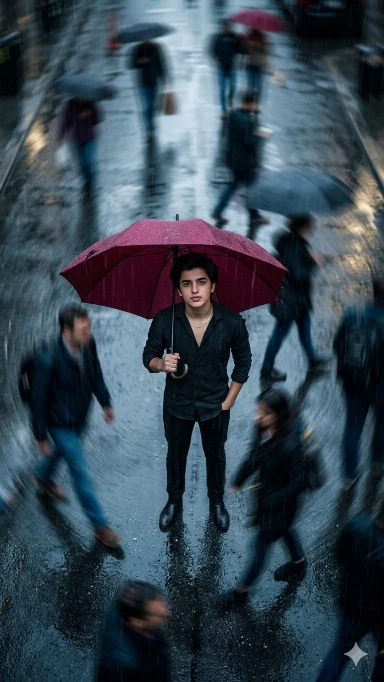
Boy With Umbrella Ai Photo Editing
Midjourney cinematic realism, ultra-realistic ai street portrait, moody rain-soaked city aesthetic, deep crimson umbrella fashion, high-angle overhead shot with cinematic tilt, subject standing still in the center holding umbrella, surrounded by fast-moving pedestrians blurred into circular motion trails, using uploaded reference image for exact face identity preservation (face must remain 100% identical, no modification), hyper-detailed skin texture with visible pores and natural imperfections, realistic rain droplets on face and clothing, glossy wet asphalt reflecting city lights, cool blue-grey tones contrasted with rich crimson, soft bloom, film grain realism, halation glow, long exposure motion blur effect, editorial fashion photography style, strong contrast between stillness and chaos, ultra-detailed PBR materials, global illumination, cinematic composition, 85mm lens f/2.8, HDR, 8K ultra HD, photorealistic –no text, watermark, logo, border, lens flare::-0.5, overexposure::-0.6, harsh shadows::-0.4 –chaos 9 –raw –stylize 650 FACE CLARITY — EXTREME ULTRA HD DETAIL Face must be razor-sharp, crystal-clear, ultra-HD with visible pores, natural skin texture, and realistic lighting. Face must be the sharpest element.
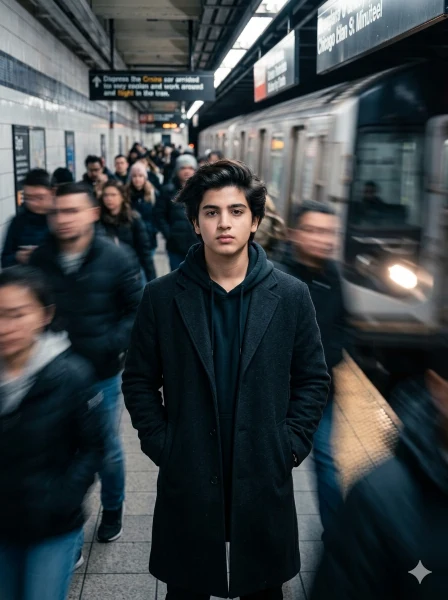
Motion Blur New AI Photo Editing Prompt
Create an ultra-realistic 8K cinematic portrait of a young man standing still inside a crowded subway station, using the uploaded reference image for exact face identity. The face must remain 100% identical with no modification. FACE LOCK — STRICT IDENTITY CONTROL Use the uploaded image as the ONLY facial reference. Do NOT generate or alter the face. Preserve exact facial structure, proportions, skin texture, hairstyle, and expression. If mismatch → REJECT and regenerate. FACE CLARITY — EXTREME ULTRA HD DETAIL Face must be razor-sharp, crystal-clear, with visible pores, natural skin texture, and realistic lighting. Face must be the sharpest element in the image. ASPECT RATIO • 3:4 vertical SCENE (DIFFERENT SETUP) Place the subject standing on a subway platform while a train arrives and people rush past him rapidly. The surrounding crowd must have strong motion blur and streaking effect, while the subject remains perfectly still and sharply focused. POSE (DIFFERENT STYLE) Standing upright, hands in pockets, body relaxed but grounded, slight forward tilt. EXPRESSION Neutral calm expression, slightly serious, detached from chaos around. OUTFIT (DIFFERENT DRESS) Urban winter outfit: long coat with hoodie underneath, dark tones, realistic fabric texture. HAIR & SKIN Natural hairstyle, slight movement from air. Skin must show real pores and texture. LIGHTING Cool artificial subway lighting mixed with train headlights creating dynamic highlights and shadows. COLOUR GRADING Cool tones (blue, grey, metallic) with cinematic contrast. BACKGROUND Subway platform, train motion blur, rushing crowd — depth-of-field effect. MOTION EFFECT • Long exposure blur on people • Light streaks from train • Static sharp subject STYLE Professional DSLR photography, hyper-realistic, cinematic motion blur, RAW clarity. CAMERA SETTINGS 85mm lens, f/1.8, shallow depth-of-field, high dynamic range. Shot on Canon EOS R5 with RF 35mm f/1.8 lens. CAMERA & COMPOSITION 35mm lens, slight wide-angle feel, subject centered or slightly off-center, ultra sharp face focus. IMPORTANT HARD RULE Must look like a real photograph. NO anime, NO cartoon, NO fake skin. NEGATIVE PROMPT anime, cartoon, CGI, plastic skin, over smooth skin, distortion.
Motion Blur Ai Photo Editing Prompt For Girl
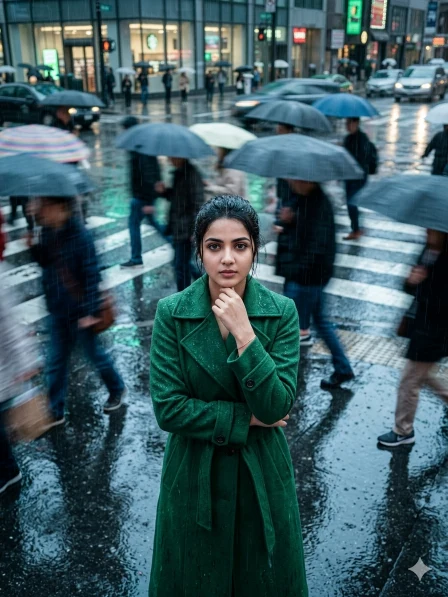
Midjourney cinematic realism, ultra-realistic ai street portrait, moody rainy city aesthetic, emerald green trench coat fashion, overhead cinematic shot with slight tilt angle, crowded crosswalk scene with pedestrians blurred into motion streaks, subject perfectly sharp and still in center, using uploaded reference image for exact face identity preservation (face must remain 100% identical, no modification), detailed skin texture with visible pores, realistic lighting, glossy wet asphalt reflections, rain droplets visible on coat and hair, cool blue-grey haze lighting mixed with subtle green reflections, soft bloom and film halation, cinematic long exposure motion blur, editorial fashion photography style, urban chaos vs calm subject contrast, reflective puddles, ultra detailed PBR materials, global illumination, film grain texture, dramatic cinematic composition, 85mm lens f/2.8, high dynamic range, 8K ultra HD, photorealistic –no text, watermark, logo, border, lens flare::-0.5, overexposure::-0.6, harsh shadows::-0.4 –chaos 10 –raw –stylize 650 FACE CLARITY — EXTREME HD PRIORITY Face must be razor-sharp, crystal-clear, ultra-HD with visible pores and natural skin texture. Subject face must be the sharpest element.
How To Create Motion Blur Ai Photo By Copy Pasting Prompt In Google Gemini?
Friends, by copying and pasting the prompt given above, you can create your motion blur AI photo very easily in Gemini app. If you still have any problem then read the steps given below and make your photo.
- First copy the correct prompt.
- Tap on the “Create Image With Google Gemini” button.
- Upload your simple photo.
- Paste the prompt and send.
- Now your photo will be created in a few seconds. Then save it.
Conclusion
Motion Blur AI Photo Editing is very much in trend nowadays, with the help of google gemini ai prompt one can make even an ordinary photo look cinematic and professional. Just use the correct prompt. And make your viral and eye-catching photo.