Instagram par jaise hi kuch din bitata hai, to koi na koi naya trend aa jata hai. Abhi ek naya ai photo bahut dimand chal raha hai iska naam “Anime Cartoon Flashlight” hai Log apni normal photos ko anime styles mein edit kar rahe hain, jo dekhne mein kaafi interesting lagti hain.
Yese photo aap bhi create kar sakte hai. Iske liye aapko kisi professional photoshop skills ki zarurat nahi hai. Aap ChatGPT Ai image generator tool ki madad se sahi prompt aur apni reference photo ka upyog karke creative anime Ai photo bana sakte hain.
Is article mein hum log Anime Cartoon Flashlight AI Photo Editing ke baare mein kuch basic information aur create karna sikhenge.
ChatGPT se Anime Ai Photo Editing Mein Kya-Kya Changes Kar Sakte Hain?
ChatGPT image generation ai tool mein Ai photo editing karte time aap apni photo ke kai elements ko creatively change kar sakte hain. Jaise:
- Outfit ka color ya clothing style
- Light setup aur colors
- Background style
- Camera angle
- Cinematic look
- Weather
- Hairstyle
- Cartoon ya anime elements
Prompt mein hamesa clearly details dena chahiye, isase AI ko desired result samajhne mein aasani hogi. Aap original photo ke look ko same rakhne ke liye prompt mein reference image ko follow karne ki instruction bhi di ja sakti hai.
Anime Cartoon Flashlight Style Photo Kaisa Dikhta Hai?
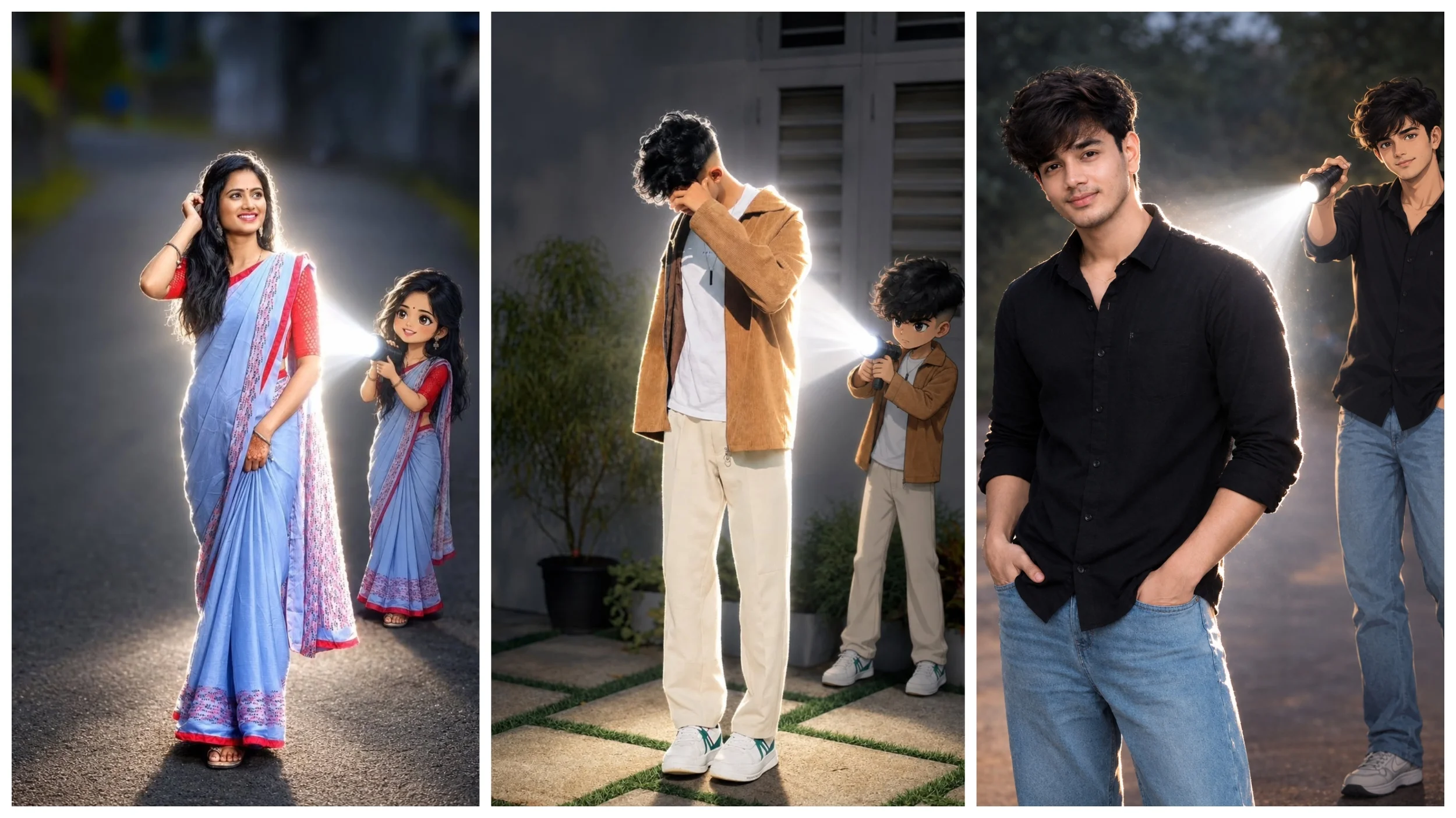
Is style ke photo main photo realistic-looking dikhai de sakti hai, jisme ek person foreground mein naturally dikhai deta hai. Background mein ek chhota anime-style character add kiya jata hai.
Is Anime ke haath mein flashlight hoti hai, aur us flashlight ki roshni saamne person par padti hai. Jo unique lighting effect create karti hai. Realistic background aur anime character ka combination image ko jyada creative look deta hai.
Ai image generator tool ki madad se character, light beam aur background ke scene ka ek hi part mein dikhane ki koshish ki ja sakti hai.
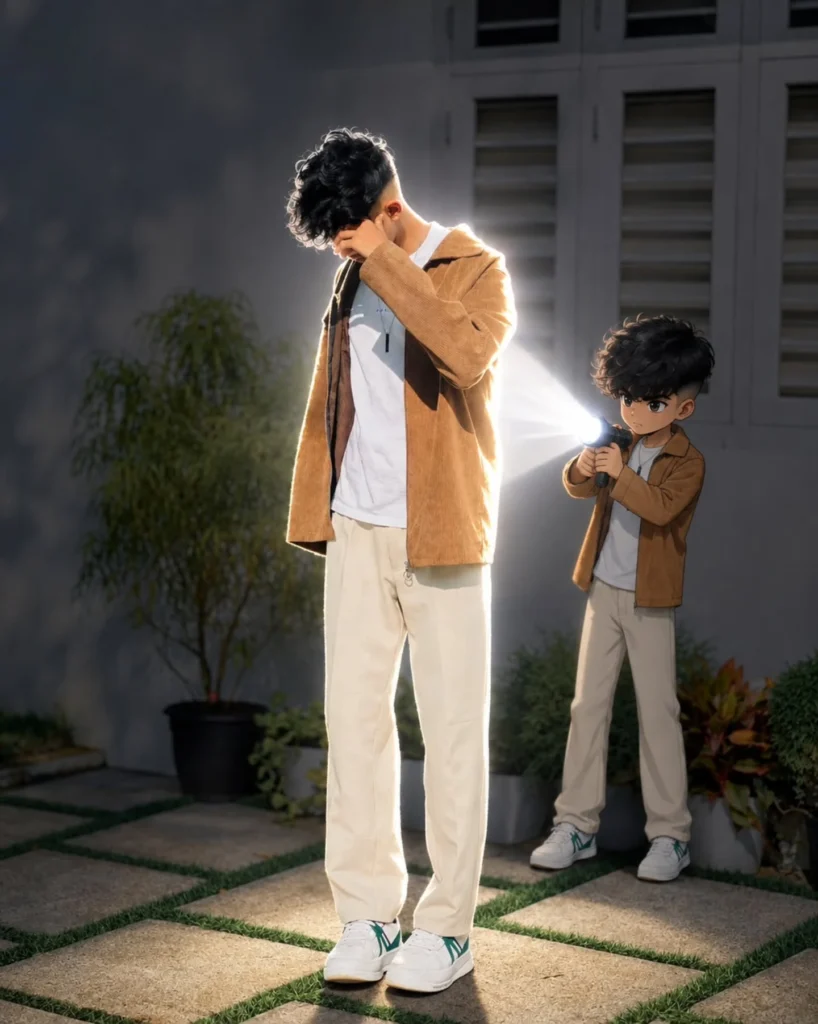
Flashlight BoyA Ai Photo
Transform the uploaded photo into a cinematic real-life and anime fusion scene. Keep the main subject completely recognizable, preserving their original face, hairstyle, body proportions, clothing, accessories, pose, and overall appearance exactly as in the reference image.
Add a small full-body anime version of the same person standing naturally behind the real subject. The anime character must be approximately half the height of the real subject (50% of the real subject’s height), clearly smaller and proportionally scaled. Do not make the anime character equal in size or taller than the real subject. Keep the anime character fully visible from head to toe, while maintaining natural perspective and placement.
The anime character should wear the exact same outfit, matching hairstyle, colors, and accessories as the real subject. Give the anime character a polished modern anime design with crisp linework, expressive eyes, subtle cel shading, slightly exaggerated anime proportions, and detailed clothing.
The small anime character should hold a powerful flashlight directed toward the real subject’s back. Create an intense realistic white light beam with strong illumination, soft atmospheric glow, bright edge lighting, realistic shadows, and subtle floating light particles.
Slightly darken the surrounding environment to emphasize the flashlight while maintaining the original sunset/outdoor atmosphere. Preserve the original background, camera perspective, framing, composition, lighting direction, and photographic realism.
Make the small anime character feel naturally integrated into the environment with accurate contact shadows, realistic scale, depth, and lighting interaction. Ensure the anime character remains visibly smaller—approximately 50% of the real subject’s height—without changing the size or proportions of the real subject.
Create a highly detailed, cinematic, realistic-looking final image with a seamless anime-meets-real-photography fusion effect, natural depth of field, realistic textures, and professional cinematic lighting.
Aspect Ratio: 3:4
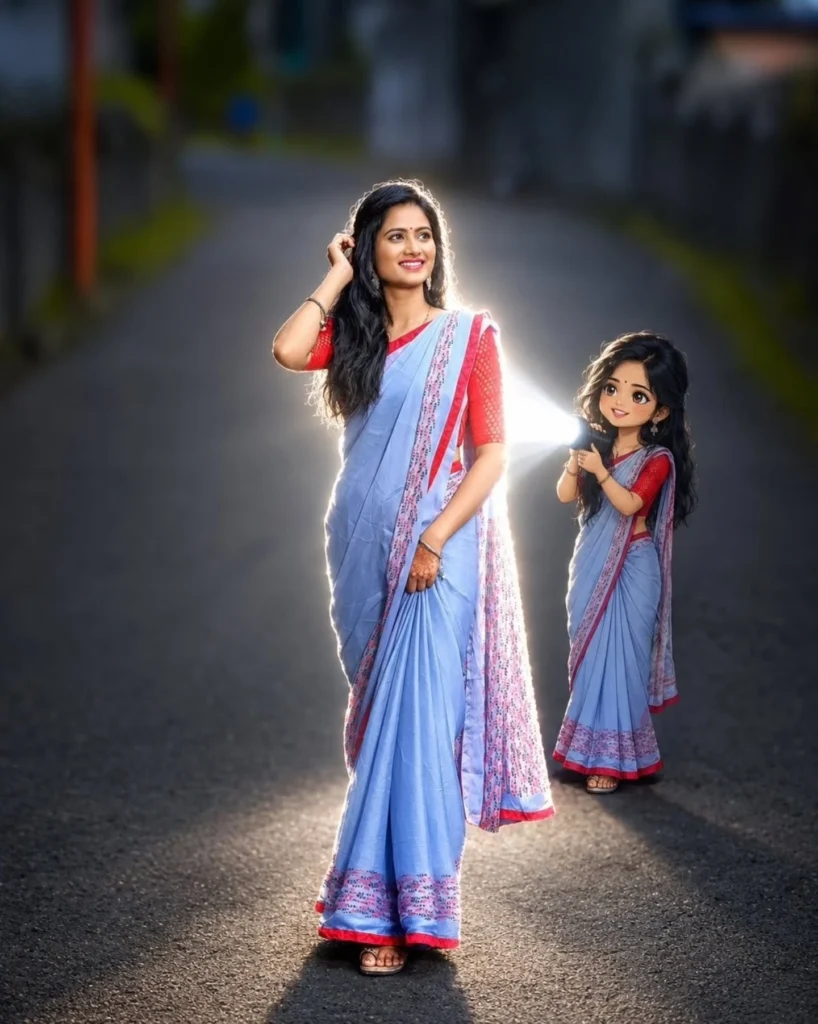
Girl Anime Flashlight Ai Prompt
Transform the main subject into a small full-body anime/cartoon version of themselves, matching their hairstyle, outfit, accessories, colors, and recognizable details. The anime character should be approximately half the height and overall size of the real subject, with compact proportions and a slightly oversized head. Use a clean modern anime aesthetic with sharp linework, cel shading, and expressive details.
Position the anime character directly behind the real subject, holding a flashlight aimed forward at the subject’s back. Create an intense, realistic white flashlight beam that fully illuminates the subject from behind, producing bright rim light, a soft glow, and natural shadows. Dim the surrounding light for dramatic contrast while keeping the original environment realistic.
Preserve the original scene, camera angle, composition, subject’s appearance, clothing, colors, and overall realism. The anime character must remain clearly visible and naturally integrated into the scene while being approximately 50% the size of the main subject.
Aspect Ratio: 3:4
How To Use Anime Cartoon Flashlight AI Prompt?
Anime cartoon flashlight ai photo editing prompt ka upyog karke Is photo ko create karna kaafi simple hai. Aap niche diye gaye step ko follow karke aasani se sikh sakte hai
- Sabse pehle is article mein diya gaya Anime Cartoon Flashlight AI Photo Editing Prompt mein se apne pasnd ka prompt copy karein.
- Ab ChatGPT open aur text box mein prompt paste karein fir (+) icon par tap karke apna reference photo upload karein.
- Ab agar prompt mein kuch small change karna hai jaise – dress, background, lighting, cinematic effects to change karein fir send karein.
- Ab photo generate hone ka intezar karein, generate hone ke baad photo ko achhe se dekhe aur agar sab kuchh sahi hai to save karein.
Final Word
Anime Cartoon Flashlight AI Photo Editing ek aasan aur creative tarika ho sakta hai, jisse aap apni normal photo ko ek creative aur shandar look de sakte hain. ChatGPT image generation ai tool aur sahi prompt ki madad se aap alag-alag style ke ai photo taiyar kar sakte hain. Agar apko realistic-looking chahiye to aap clear reference photo upload karein. Aur final result ko achhe se dekhe fir use karein.