
In today’s time, smartphone is not only used for making calls or messages, but it is also a smart gadget that reflects our personality. If you guys want your smartphone’s lock screen and home screen to always look attractive, then Hyper Lock Screen app is a great app for you. This is an Android app in which you can completely customize your lock screen as per your choice. And along with this you can also use great features like Always On Display.
What is hyper lock screen?
hyper Lock Screen is a modern Android lock screen and customization app that gives an amazing look to any Android phone. In this, along with applying wallpaper of your choice, you can also customize and setup settings like time, date, notification and Always On Display as per your convenience.
This app can be very useful for those people who like to make their phone home screen new style and attractive.
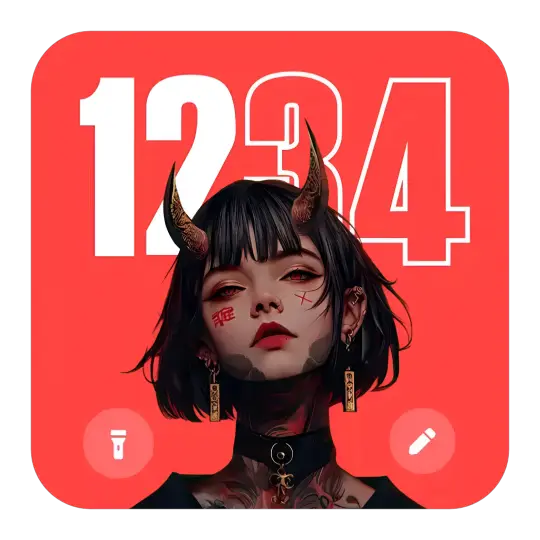
Hyper Lock Screen App
hyper Lock Screen App is a great lock screen app that offers Always On Display and professional customization features.
Main Features
- Dynamic Lock Screen Wallpaper – In Hyper Lock Screen you get very amazing lock screen setup, and if you want, you can also add a photo from your gallery.
- Always On Display – This feature gives a premium look to any phone. These features work when the screen is off. It still shows the time, battery percentage, and notifications even when your screen is off.
- Smart Lock Setup – In smart Lock Setup app you can experience animated lock screen like PIN, Pattern.
- Custom Clock Styles – In this you can choose the style, font and color of your favorite watch. Which makes the lock screen even more beautiful.
- Battery & Notification Display – In this, you can show battery level, time and app notifications in a great way, so that you do not have to unlock the phone for these small tasks.
User Experience
The interface of hyper Lock Screen is very smooth, easy and advanced. Anyone can use it very easily. This app does not consume much battery. The design of always On Display mode looks like a premium phone Samsung or OnePlus, which makes your phone look very premium.
Why Use Hyper Lock Screen?
- By using this lock screen the phone looks very stylish.
- Always On Display makes the phone look very premium.
- Battery friendly and very light app.
- Wallpaper and clock designs are available in this app.
- You can also customize it as per your choice.
| Advantages | Disadvantage |
| The phone looks premium | Using too much AOD can increase mobile battery consumption. |
| Customization options | Additional permissions required |
| Easy setup | |
| Free |
How To Use Hyper Lock Screen App
- First open the app.
- Choose clock style as per your choice.
- Turn on/off Always On Display (AOD).
- Set your favorite wallpaper.
- Tap on Enable Lock Screen.
After this your lock screen will change completely. Now your phone will look completely unique.
Conclusion
If you want to make your Android phone unique and stylish, then Hyper Lock Screen app is best for you. This app gives your phone a new lock screen and also gives you the option of Always On Display.
Is Hyper Lock Screen App free?
Yes, Hyper Lock Screen App basic version is available for free. But for advanced features you will have to take its paid version.
Does it work on phones?
This app works on most Android devices. But some of its features may be limited in older Android versions. Or this app may not work.
Is hyper Lock Screen App safe?
If you download it from Google Play Store and give some necessary permissions carefully, it can be safe.
Does Always On Display feature consume more battery?
Yes, battery consumption may increase slightly if AOD feature is always on. So keep switching it on/off as and when required.
When can hyper Lock Screen App be removed?
You can uninstall it anytime. Lock screen will become default upon uninstall.