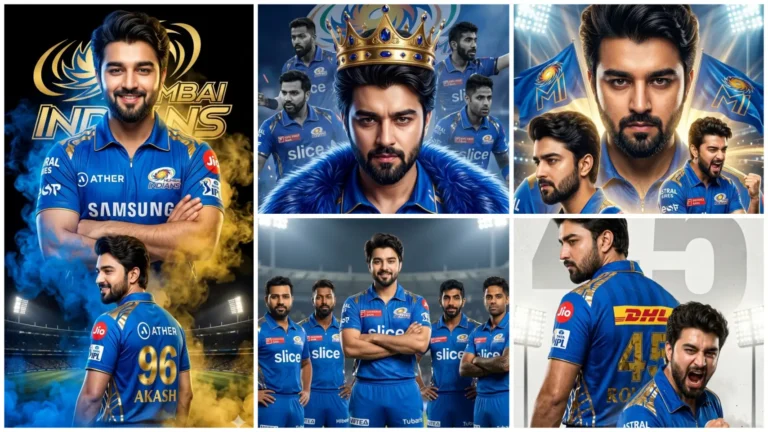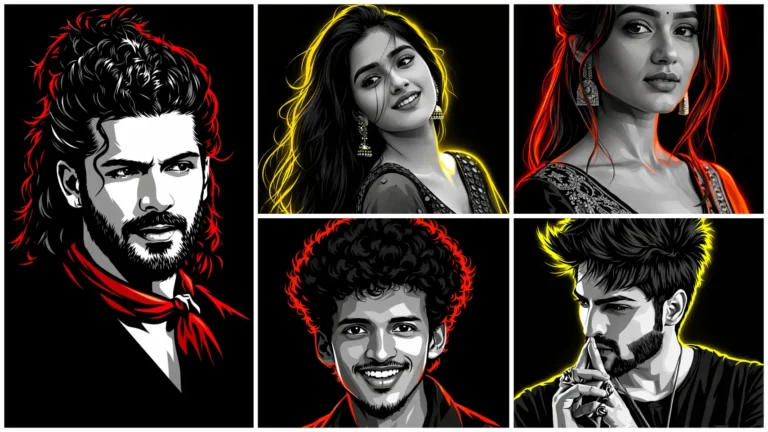
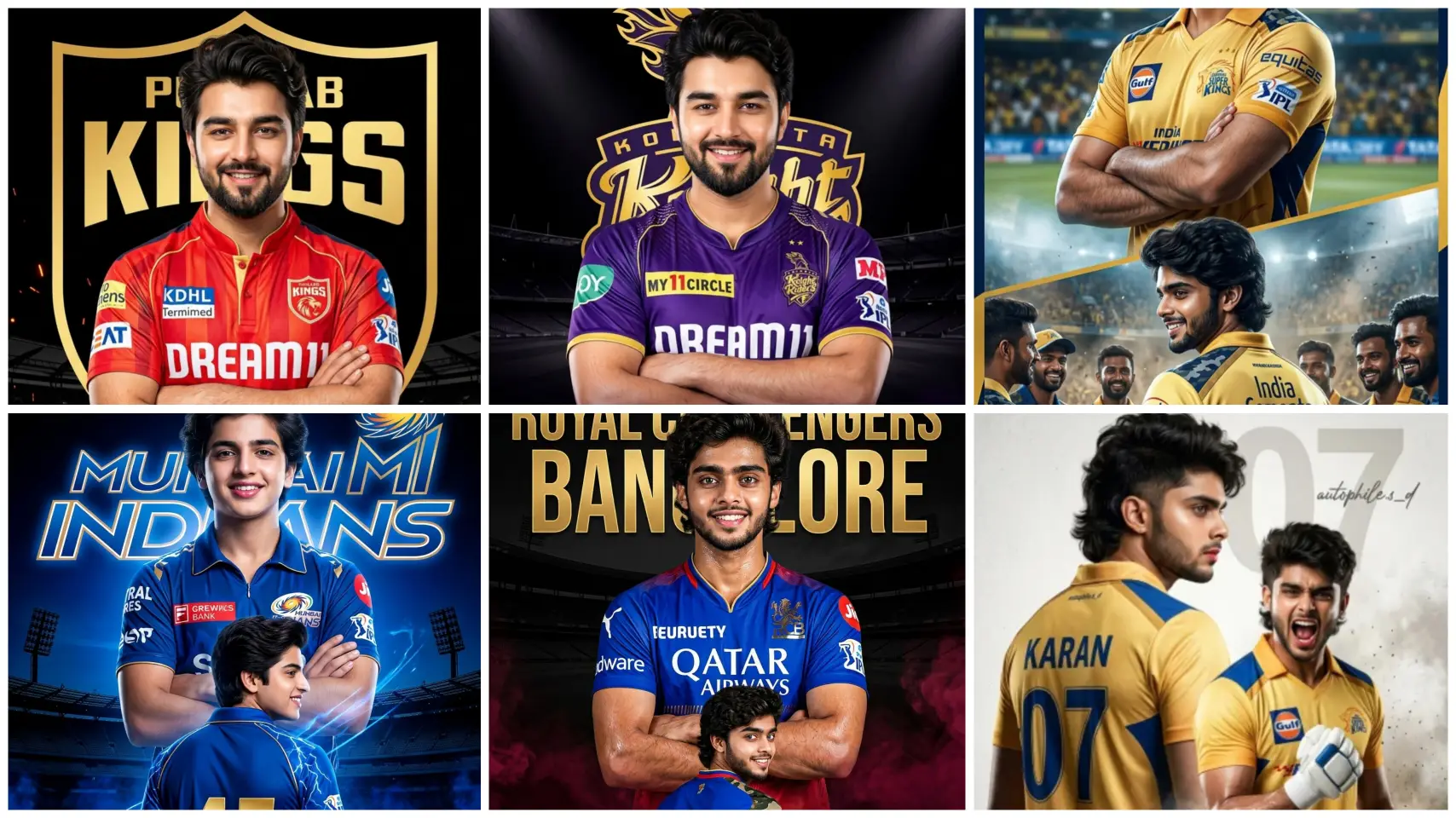
Friends, the craze of Indian Premier League 2026 is going viral this year also on social media like Instagram, Facebook. People are making their reels and posts viral by Editing IPL photos on platforms like Instagram and YouTube. Nowadays people are using AI to create professional looking photos with their favorite team’s jersey and stadium background.
If you also want to Make Ai Photo of IPL 2026 and want to make your photo or reel viral, then you are at the right place. Here you can easily create stunning and realistic photos with stadium background, team jersey with the help of Google Gemini powerful AI tools with best prompt.
In this article, we are going to give you IPL 2026 AI Photo Editing Prompts, you can create your amazing AI photo by copying this AI prompt in just 1-click. These amazing and powerful AI prompts are specially designed to give your photos high quality, DSLR-like Bokeh effect and a realistic stadium look.
IPL Ai Photo Editing Prompt
Friends, you must be knowing this very well that every team of the Indian Premier League has its own different style, color theme and fan following. If you want to create AI photos for all teams, here you are given an ai prompt for each team. And this prompt has been created keeping in mind the different logo, color and stadium of each team.
Let me explain to you with a little example. The yellow theme for Chennai Super Kings (CSK) and the blue theme for Mumbai Indians (MI) are the most popular. And similarly, every team has its own identity, logo and theme. And it is very important to include this in your AI photo.
In this article we have given AI Photo Editing Prompts for all IPL teams. You can easily copy and paste all these prompts and create your photo in Google Gemini AI tools.
Can Manual Photo Editing Be Done For IPL?
Friends, if you also want to do manual photo editing on the Indian Premier League theme, then you may have to work hard. Because for this you need to have knowledge about photo editing. You can create it using PicsArt app in mobile.
So for this, first of all, you have to click some amazing photos of yourself. After this decide on the theme of which IPL team you want to make the photo. Accordingly, download the png file of the background, team logo and stadium.
Now open PicsArt app and click on “Edit Photo” option. After this add background according to the team. Then click on “Add Photo” and add your photo and setup it properly. Now after this, if you search IPL by clicking on “Sticker” tool, you will get many readymade PNG elements, add stickers as per your choice.
Now your photo will be ready, to give the photo a more stunning look, add it to the Lightroom app and adjust the color. Friends, if you want to create IPL photo in just one click without putting so much hard work, then use the prompt given below.
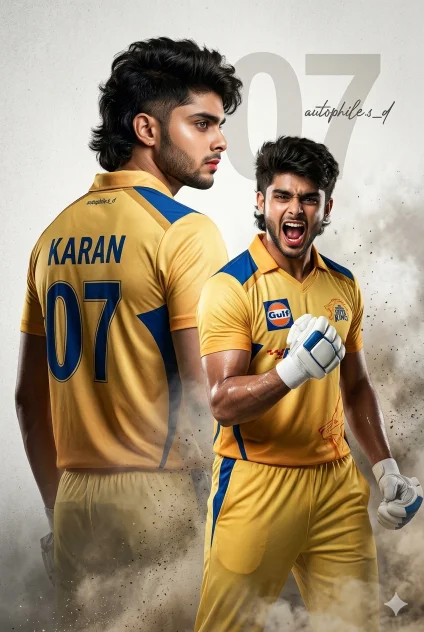
CSK Theme Ai Prompt
Ultra-realistic cinematic cricket poster of the uploaded man, fair glass skin, soft red lips, messy fade mullet hairstyle. Dual-pose composition on a clean light-grey textured background with a subtle “07”. Back pose: Wearing golden-yellow Chennai Super Kings jersey with blue accents, “Karan” and “07” on the back, turning with an intense side profile. Front pose: Celebrating with clenched fist, shouting, full CSK kit, athletic build. Details: sharp jawline, clean shave, slight sweat highlights, cinematic smoke and dust, premium studio lighting, 85mm lens look, ultra-sharp, 8K, vertical poster, signature “autophile.s_d”.
Ipl CSK Viral Ai Promp
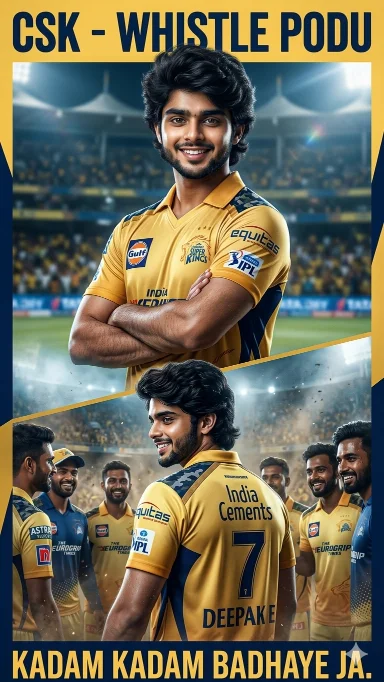
Create a dramatic ultra-realistic IPL-style poster using my photo. Keep my facial features exactly the same. Dress me in a Chennai Super Kings (CSK) inspired yellow jersey with navy blue accents and white sponsor logos on chest and sleeves. Create two versions: a center chest-up portrait with arms crossed and confident smile, and a lower back-body pose wearing a yellow jersey with navy blue “7 DEEPAKE ” on the back and army print on both shoulders, smiling and surrounded.
MI Ipl Ai prompt
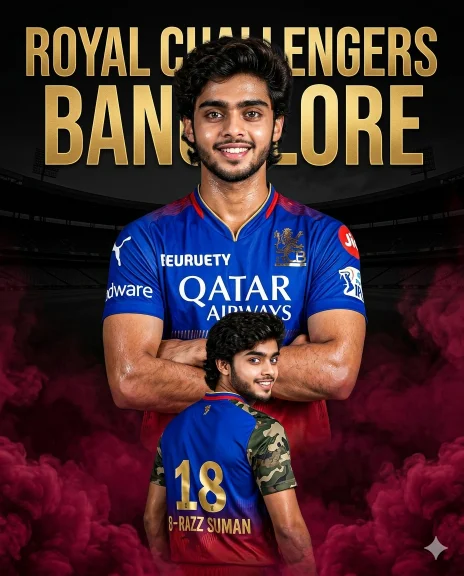
Create a 4:5 ultra-realistic IPL-style poster using my uploaded photo. Keep 100% exact facial features (strict face consistency). Outfit: Royal Challengers Bangalore (RCB) 2025 jersey, white sponsor logos. Composition (dual pose): 1) Center: chest-up portrait, arms crossed, confident smile. 2) Below: back pose wearing RCB jersey with golden “18 – PRIYESH”, army print shoulders, smiling. Background: dark black with golden “Royal Challengers Bangalore” text logo and stadium silhouette. Effects: maroon smoke at bottom, high-contrast dramatic lighting, sharp details, vibrant colors, 8K, vertical poster.
New Style Ipl Ai Photo Editing
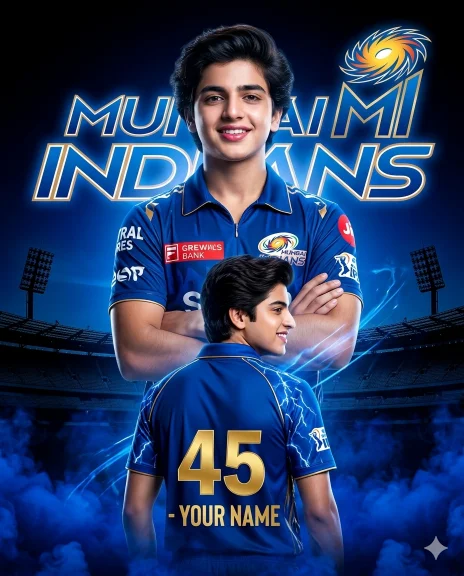
Create a 4:5 ultra-realistic IPL-style poster using my uploaded photo with 100% exact facial features (strict consistency). Outfit: Mumbai Indians (MI) 2025 jersey with white & gold sponsor logos. Composition (dual pose): 1) Center: chest-up portrait, arms crossed, confident smile. 2) Below: full back pose with golden “45 – YOUR NAME”, blue lightning shoulder design, smiling. Background: black–blue gradient with glowing “Mumbai Indians” text, MI logo, and stadium silhouette. Effects: deep blue smoke at bottom, blue energy streaks, high-contrast cinematic lighting, sharp, vibrant, 8K, vertical poster.
Ipl Ai Photo Editing Prompt
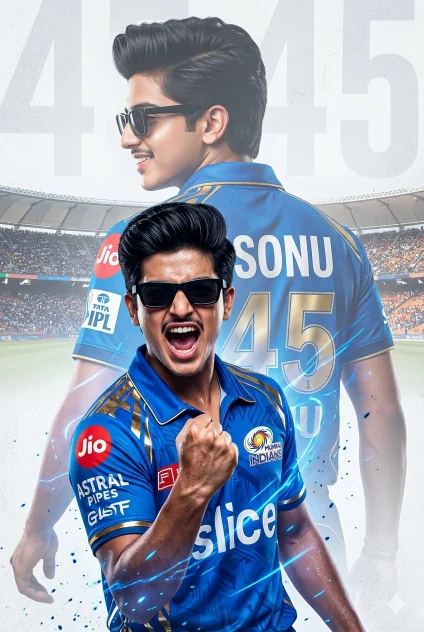
Create a 4:6 ultra-realistic sports poster of a young South Asian man with quiff-style black hair, light mustache, and black rectangular sunglasses. Outfit: Mumbai Indians (MI) blue-gold jersey with official logos. Composition (double exposure): 1) Foreground: mid-shout celebration, clenched fist, intense expression. 2) Background: larger faded back view with “SONU” and number “45”. Background: light grey textured with subtle “45” watermark. Style: cinematic lighting, high contrast, sharp focus, ultra-detailed, 8K, professional sports poster.
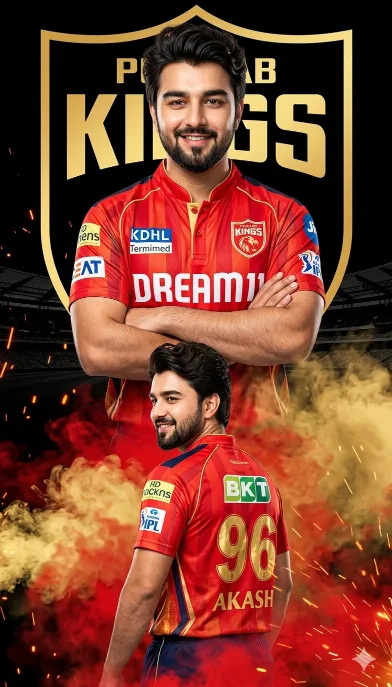
Punjab Kings Ai Promp
Create a dramatic IPL-style poster using my photo. Keep my facial features exactly the same as in my photo but put me in a punjab kings style jersey, in 2025 style, with sponsor logos in white on the chest and sleeves. Make two versions of me: one large portrait from the chest up with arms crossed and a confident smile in the center, and one back-body image of me below wearing a punjab kings jersey with golden colour 96 AKASH in back smiling,surrounded by red smoke at the bottom. Use a dark black background with a large punjab kings logo in text golden ‘punjab kings’ stadium silhouette behind me, similar to a cricket team emblem. Use vivid, high-contrast lighting to make my face and jersey stand out. Make the overall style sharp, colorful and suitable for a sports poster.
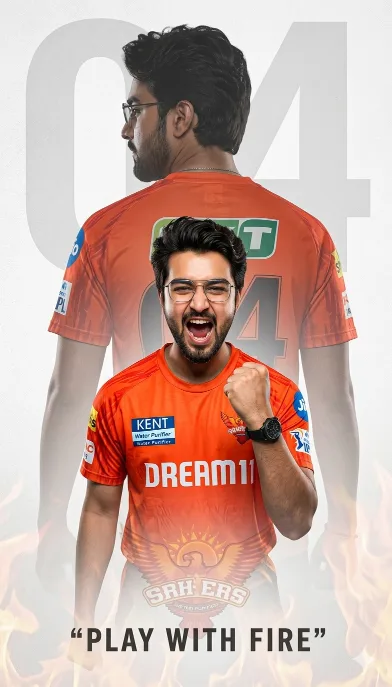
Hyderabad (SRH) Ai Photo
A high-quality sports poster featuring a young South Asian man with messy dark hair and glasses. He is wearing a ORANGE T shirt Sunrisers Hyderabad (SRH) cricket jersey with “Dream11′ and ‘Kent water purifier’ logos. The image uses a double exposure effect: in the foreground, he is shouting in a triumphant celebration with a clenched fist; in the background, a larger, faded silhouette of him shows his back, displaying the name ‘Abhishek Sharma’ and the number ’04’. The background is a clean, textured light gray with a large, subtle number ’04’ watermark. Cinematic lighting, sharp focus, 8k resolution, professional graphic design style. “Add this logo in background set the opacity according firy background with the quote play with fire
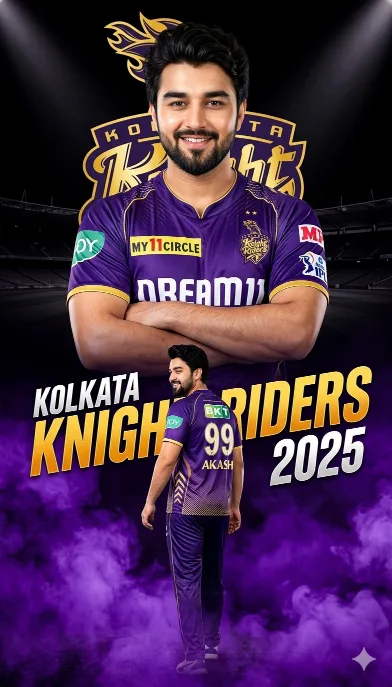
Kolkata Ai Photo Editing
Create a dramatic IPL-style poster using my photo. Keep my facial features exactly the same as in my photo but put me in a kolkata knight riders style jersey, in 2025 style, with sponsor logos in white on the chest and sleeves. Make two versions of me: one large portrait from the chest up with arms crossed and a confident smile in the center, and one back-body image of me below wearing a kolkata knight riders jersey with white colour 99 AKASH in back smiling,surrounded by purple smoke at the bottom. Use a dark black background with a large kolkata knight riders logo in text golden kolkata knight riders ‘ stadium silhouette behind me, similar to a cricket team emblem. Use vivid, high-contrast lighting to make my face and jersey stand out. Make the overall style sharp, colorful and suitable for a sports poster.
How To Create IPL Ai Photo By Copy Pasting Prompt In Google Gemini?
It is very easy to make Ipl ai photo using prompt in google gemini. You can create any AI photo very easily by just copying and pasting the prompt. So now read the steps given below carefully and start making your ipl ai photo.
- First copy the prompt.
- Tap on “create image with google gemini” button.
- Upload any of your photos.
- Paste the prompt. And send.
- Now your image will be created in some time. Save it.
Conclusion
Using Ipl AI photo editing prompts you can easily create professional and trending images in just one click. Google Gemini AI tools make your work much easier. With this ai tool you can create high-quality, realistic and attractive IPL photos to go viral on social media.