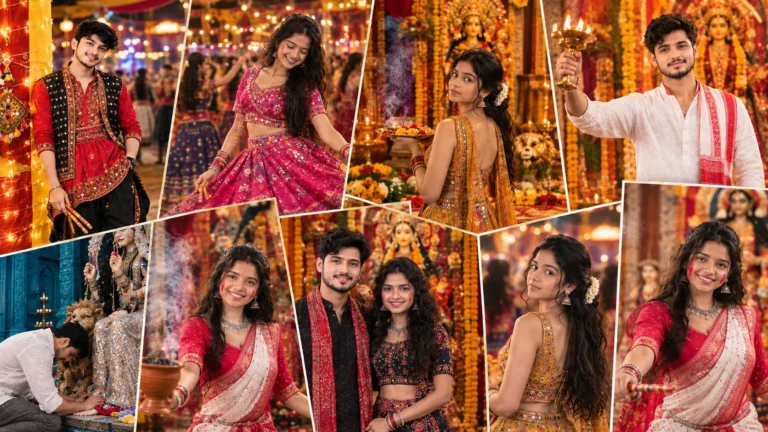
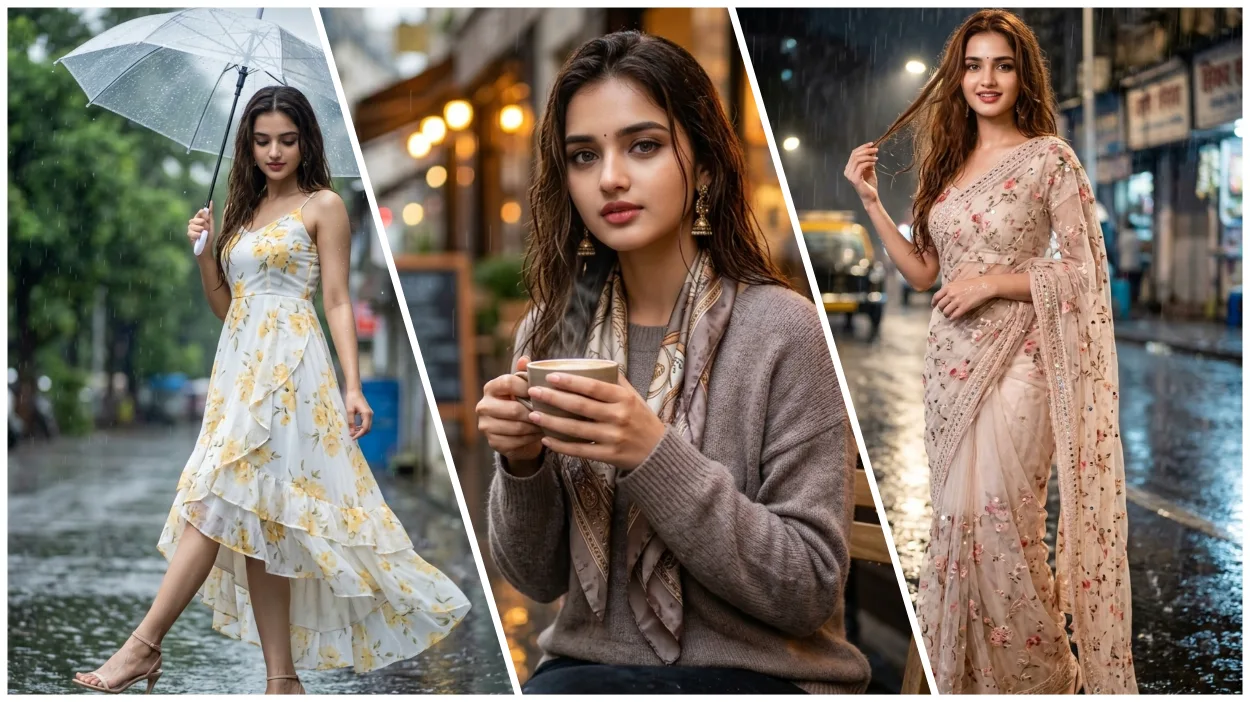
When ordinary roads start shining, lights start shining more beautifully, rain drops fall on the road. So this scene seems no less than a movie. Meaning rainy season or rain drops makes any photo even more special. Now with the help of AI, you can show the environment of this rainy city in pictures in a very real and spectacular way.
In this post, we will learn in detail about the rain photo editing prompts of Google Gemini AI. This lets you create highly realistic cinematic portraits of people in rain-soaked urban scenes. In this you will get Rain Ai Photo Editing Prompts For Girls and along with it, everything will be told about how to create your AI photo using it.
Understand each word of the prompt given by Google Gemini AI for photo editing in rainy season.
The prompt to create a rainy season photo in Google Gemini AI focuses mostly on three things.
- Lighting and atmosphere: Rays of neon light, street lamps and brilliant fog combine to create cinematic depth.
- Realism: Facial features, skin glow, wet clothes and hair all come together to create a realistic photo.
- Environment: Rain, water-soaked roads – peace or subtle sadness.
Putting all this together, AI creates a very beautiful picture. Which looks like a scene from a high budget movie.
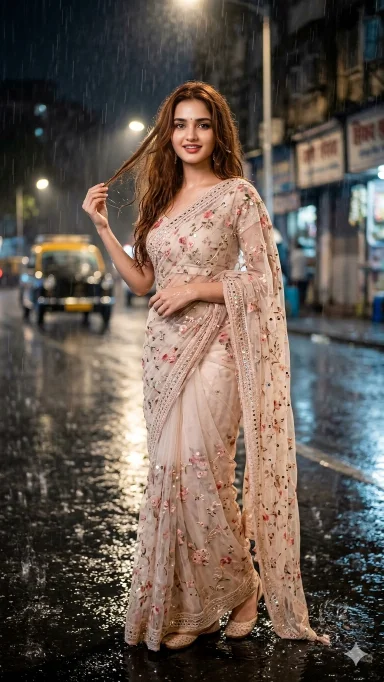
Girl In Saree Rain Ai Prompt
Create a Full-length portrait of a young woman like a Bollywood main character standing on a rainy roadside. She has long, soft, wavy brownish-red hair, partially wet and flying mildly in the rain, with visible rain droplets on her hair and glowing skin. She is wearing a light colored floral net saree with an aesthetic, dreamy vibe, along with a tiny bindi. The background shows blurred dark city lights in the rain, creating a cinematic and dramatic atmosphere, with soft light highlighting her. Her facial expression and face remain exactly the same as the reference picture, with no changes at all only the pose is happy, mysterious and artistic giving a dreamy vibe. The image has sharp professional portrait photography quality, with detailed features, cinematic rain, and a slight retro-vintage touch.
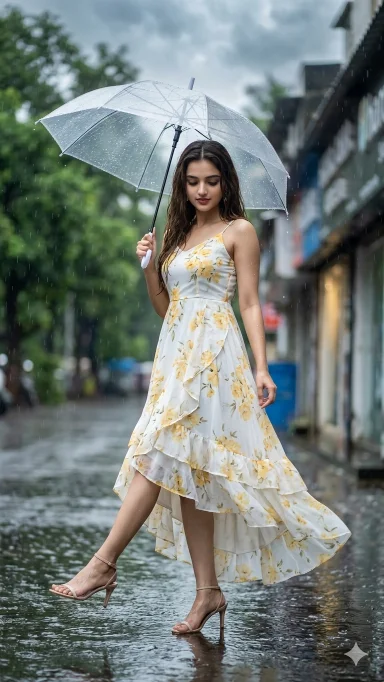
Girl Photo Editing Prompt
Use the uploaded image as the ONLY face reference. Apply ABSOLUTE FACE LOCK (100% identity preservation, no changes in face, skin tone, facial structure, or expression).
Create an ultra-realistic full-length cinematic portrait of an Indian woman standing on a wet street during light rain, holding a transparent umbrella in her right hand.
Keep EVERYTHING same as original scene — pose, composition, angle, body proportions, background, and expression.
ONLY CHANGE:
Outfit: elegant white designer frock (flowy modern silhouette, layered ruffles, slight high-low hem, soft lightweight fabric) with beautiful yellow floral pattern (soft, natural flower prints evenly distributed, aesthetic and realistic). The dress is slightly wet from rain and naturally clings in some areas with realistic wet texture.
Footwear: stylish strappy heeled sandals, minimal modern design, slightly wet with subtle reflections.
Weather & Mood: slightly darker cloudy rainy atmosphere (overcast daylight, not night). Add soft moody tone like rain clouds covering the sky.
Enhance rain realism:
- visible raindrops and light rain streaks
- wet reflective road with puddles
- slight atmospheric mist
Keep EXACT:
- face (no change at all)
- pose (one leg slightly lifted forward, playful motion)
- head slightly tilted down with soft subtle smile
- transparent umbrella in right hand
- blurred green trees background
Lighting: soft diffused cloudy light with subtle highlights on wet skin, hair, and dress.
Style: ultra-realistic, cinematic photography, shallow depth of field, natural color grading, high detail, 8K quality.
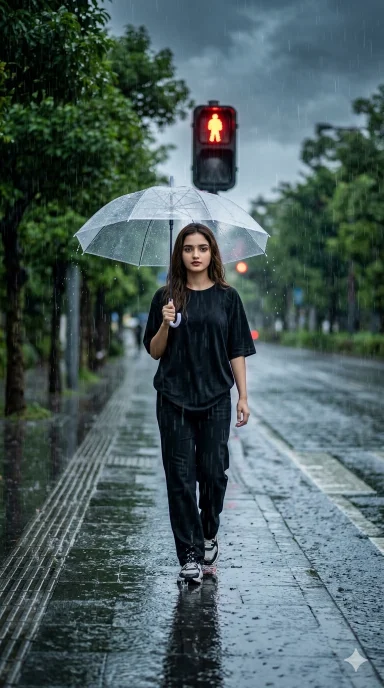
Black Dress Girl Barish Ai Prompt
Use the uploaded image as the ONLY face reference. Apply ABSOLUTE FACE LOCK (100% identity preservation, no changes in face, skin tone, facial structure, or expression).
Create an ultra-realistic full-body cinematic portrait of an Indian person walking on a sidewalk in heavy rain, about to cross the road at a red traffic light.
Outfit: oversized black T-shirt (slightly wet, natural fabric wrinkles), black box-fit pants, and modern sneakers (wet with subtle reflections and water splashes).
Pose: natural walking stance, slightly forward motion as if about to step onto the road. One hand holding a transparent umbrella above the head.
Environment:
- sidewalk beside the road with many green trees
- heavy rainfall with visible raindrops and rain streaks
- wet reflective road surface with puddles and traffic light glow
- red traffic signal visible in background
Lighting & Mood:
- dark cloudy rainy atmosphere (overcast sky, slightly moody tone)
- soft diffused light with reflections on wet surfaces
- subtle cinematic contrast
Details:
- realistic wet hair and clothing texture
- small water splashes near feet
- slight motion blur in rain for realism
Aspect Ratio: 9:16 vertical
Style: ultra-realistic, cinematic photography, shallow depth of field, high detail, 8K quality, natural color grading.

Indoor Girl Rain Ai Prompt
Use the uploaded image as the ONLY face reference. Apply ABSOLUTE FACE LOCK (100% identity preservation, no changes in face, skin tone, facial structure, or expression).
Create an ultra-realistic 8K cinematic portrait of an Indian girl sitting outside a cozy cafe during rain.
Pose: she is sitting naturally on a chair, slightly leaning forward, holding a warm cup of coffee in her hands, with a calm and thoughtful expression.
Outfit: stylish modern outfit (soft aesthetic look), slightly damp from the rain with natural fabric texture.
Environment:
- outdoor seating area of a cafe
- warm yellow/orange interior lights glowing from inside
- wet street reflecting the cafe lights beautifully
- light rain falling with visible raindrops and soft rain streaks
Lighting & Mood:
- cinematic contrast between warm indoor lights and cool rainy outdoor tones
- soft diffused lighting on face with natural highlights
- cozy, moody, rainy evening atmosphere
Details:
- realistic wet hair with a few strands sticking naturally
- subtle raindrops on skin, clothes, and surroundings
- coffee cup with slight steam for warmth effect
- shallow depth of field with blurred background
Style: ultra-realistic, cinematic photography, high detail, 8K quality, natural color grading.
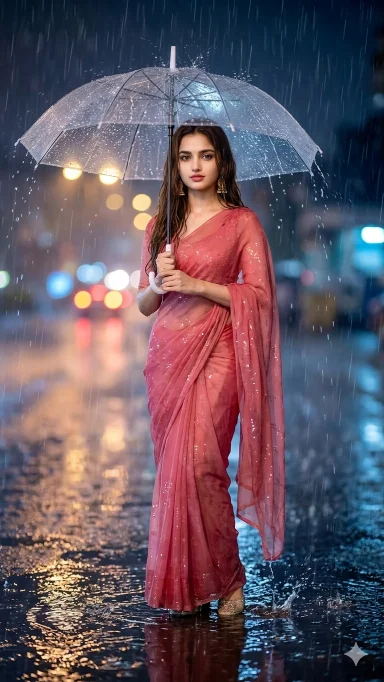
Pink Saree Girl Barish Ai Prompt
Add rain falling around subject holding umbrella, rain visible bouncing off umbrella surface, puddles at feet with reflections, wet ground, rain creating atmospheric depth, maintain subject as focal point, romantic or contemplative mood, natural rain direction.
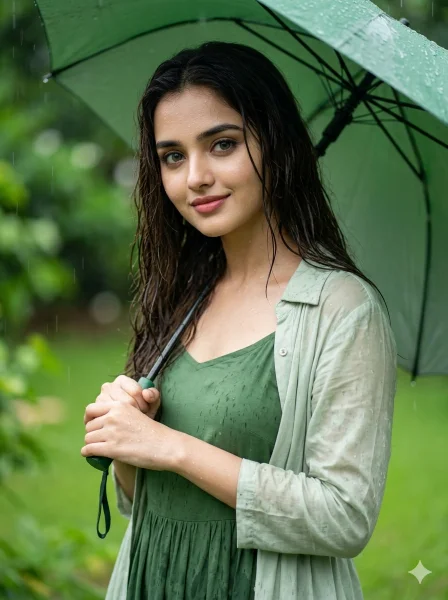
Girl Barish Ai Prompt
Keep the face 100% identical to the reference image (girl). No face change, reshaping, beautification, or AI skin. Preserve real skin texture, pores, facial structure, hairstyle, and natural expression. Face must look completely real and human.
FACE QUALITY: Extreme ultra-HD, razor-sharp clarity with visible pores and natural highlights. No smoothing or artificial glow.
SCENE: 8K cinematic portrait of a girl standing in a lush green garden during light rain, with visible droplets and wet surroundings, depth-of-field effect.
POSE: Romantic natural pose — standing slightly angled, holding a green umbrella, body relaxed with a gentle lean, creating an elegant cinematic feel.
EXPRESSION: Soft romantic smile, looking slightly toward camera or downward naturally.
OUTFIT: Elegant green frock with a light jacket, slightly wet from rain, realistic fabric texture.
DETAILS: Natural wet skin, subtle rain effect on hair, realistic textures, droplets visible on skin and clothes.
LIGHTING & COLOR: Soft diffused daylight, cool rain tone, rich green cinematic color grading.
CAMERA: 50mm lens, eye-level shot, shallow depth of field, HDR, ultra-sharp face focus, 3:4 vertical.
STYLE: Ultra-realistic cinematic photography (no CGI or fake look).
NEGATIVE PROMPT: cartoon, CGI, fake skin, blur, distortion, low quality
How To Create Girl Rain Ai Photo By Copy Pasting Prompt In Google Gemini?
Rain Ai photo can be created very easily in AI tools like Google Gemini by using the right prompt.
- First copy the correct prompt.
- Tap on the “Create Image With Google Gemini” button.
- Upload your simple photo.
- Paste the prompt and send.
- Now your photo will be created in a few seconds. Then save it.
Conclusion
The rainy season at the end turns a simple scene into something very cinematic. Now with the help of tools like Google Gemini AI, we can make the beautiful scene of rain even more attractive. Using the right Girl Rain Ai Prompt anyone can easily create professional and movie-like rain AI photos.