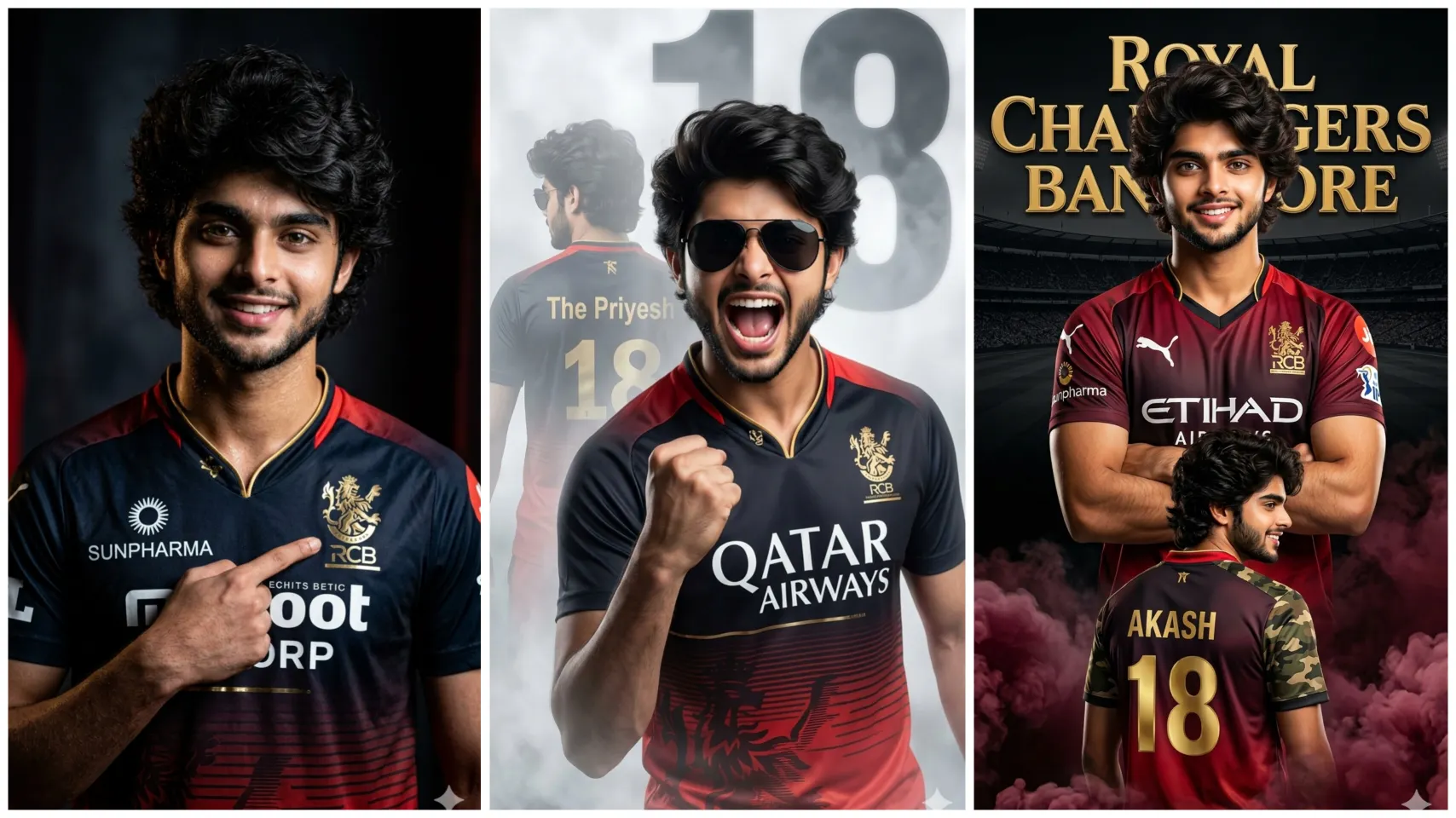
Royal Challengers Bengaluru (RCB) Ipl Ai Photo Editing Prompts are becoming increasingly popular on social media nowadays, especially among boys and girls who want to create cinematic and realistic photos using google gemini AI. These prompts help you create stunning, AI photos to share on social media in just seconds.
Friends, whether you want a cool look like a cricketer, or want to capture a fan moment with an enthusiastic crowd, this AI prompt is perfect for everyone. In this article, you will find creative and easy-to-use AI prompts for boys, which will help in creating professional photos with cinematic lighting and realistic details.
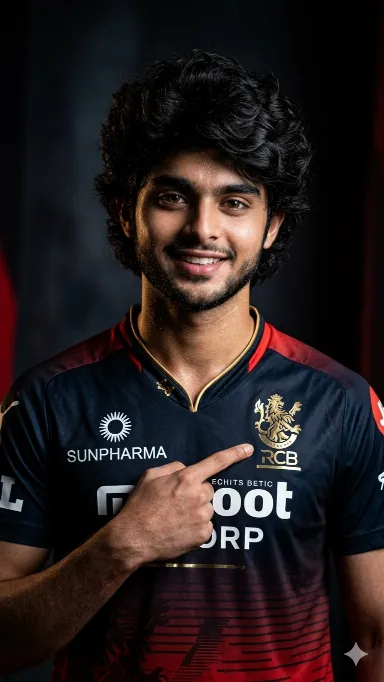
RCB Fan Ai Prompt
“A high-quality, cinematic studio portrait of Indian cricketer. He is wearing the Royal Challengers Bangalore (RCB) IPL jersey, which features a deep red and black gradient with gold accents and sponsorlogos like ‘SUNPHARMA’, He has a well-groomed beard and is pointing his index finger toward the RCB team crest on his chest.the lighting is dramatic low-key style, with a dark, moody background that makes the subject pop. High resolution, sharp focus on facial features and tattoos, professional sports photography style.and 100% my face matching
Don’t change face shape and hairs
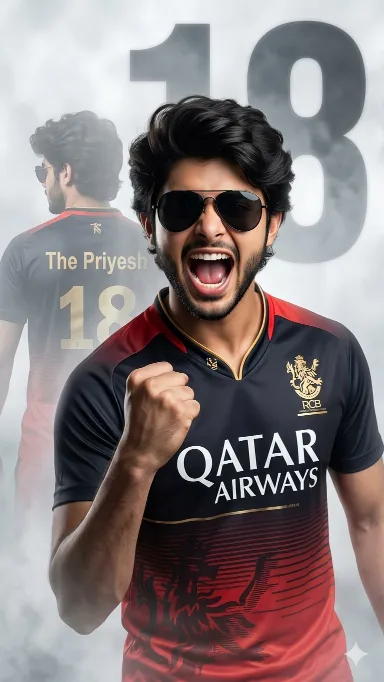
Royal Challengers Bengaluru Ai Photo Editing Prompts
A realistic 3D illusion of a young Indian boy wearing black sunglasses and a Royal Challengers Bangalore (RCB) cricket jersey with “QATAR AIRWAYS” printed on the front. He is shouting in excitement with his mouth open and fist clenched in a victory pose. Behind him, there is a faded, ghostly image of the same boy standing with his back turned, showing the name “The Priyesh” and number “18” on the jersey. The background is a white and grey smoky atmosphere with a large faded number 18. Cinematic lighting, ultra-detailed, 8K resolution, photorealistic, sharp focus, dram shadows.IMPORTANT: Face must remain exactly the
same no face change, no modification, kee original facial identity perfectly preserved
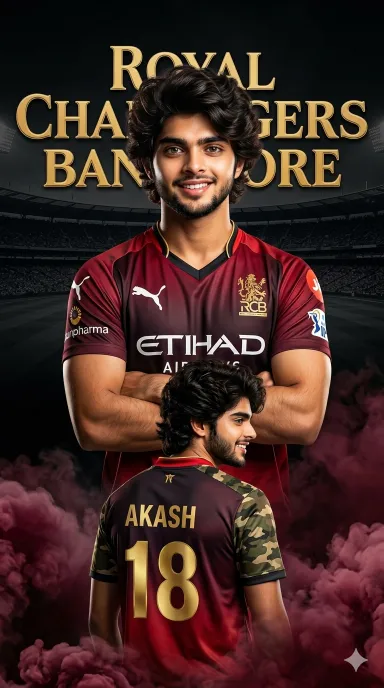
IPL Ai Photo
Create a dramatic IPL-style poster using my photo. Keep my facial features exactly the same as in my photo but put me in a ROYAL CHALLENGEERS BANGALORE style jersey, in 2025 style, with sponsor logos in white on the chest and sleeves. Make two versions of me: one large portrait from the chest up with arms crossed and a confident smile in the center, and one back-body image of me below wearing a RCB jersey with golden colour 18 AKASH in back and army print in both shoulders smiling,surrounded by MARRON smoke at the bottom. Use a dark black background with a large RCB logo in text golden ‘Royal Challengers Bangalore’ stadium silhouette behind me, similar to a cricket team emblem. Use vivid, high-contrast lighting to make my face and jersey stand out. Make the overall style sharp, colorful and suitable for a sports poster. Enable strict facial consistency mode.Prioritize the facial features from the provided reference image for all subsequent generations.Maintain the subject’s identity accurately while only adapting the pose,lighting,and background.Do not alter the core facial structure. in big verticle poster size.
How To Create RCB Ai Photo By Copy Pasting Prompt In Google Gemini?
With the help of IPL AI Photo Prompt, AI photo can be created in just one click by following the steps given below. Start creating your photo by following the steps below.
- First copy the correct prompt.
- Tap on the “Create Image With Google Gemini” button.
- Upload your simple photo.
- Paste the prompt and send.
- Now your photo will be created in a few seconds. Then save it.
Conclusion
RCB Ai Photo Editing Prompts will transform any ordinary photo into a high-quality, cinematic cricket stadium look. Perfect AI prompts, stadium lighting, realistic look makes any photo look great and go viral on social media like Instagram.