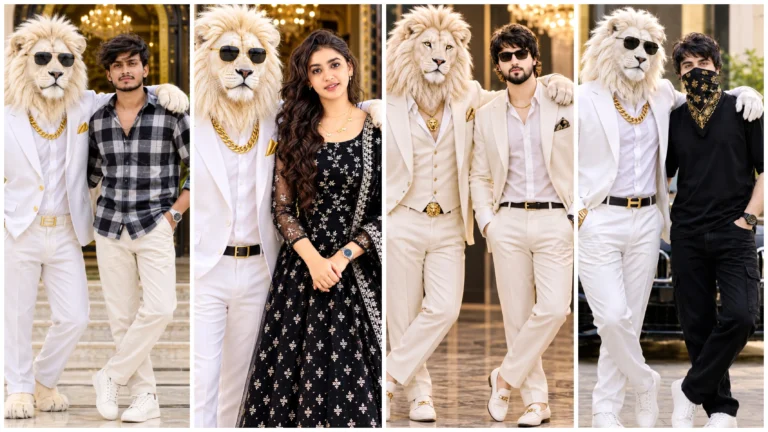
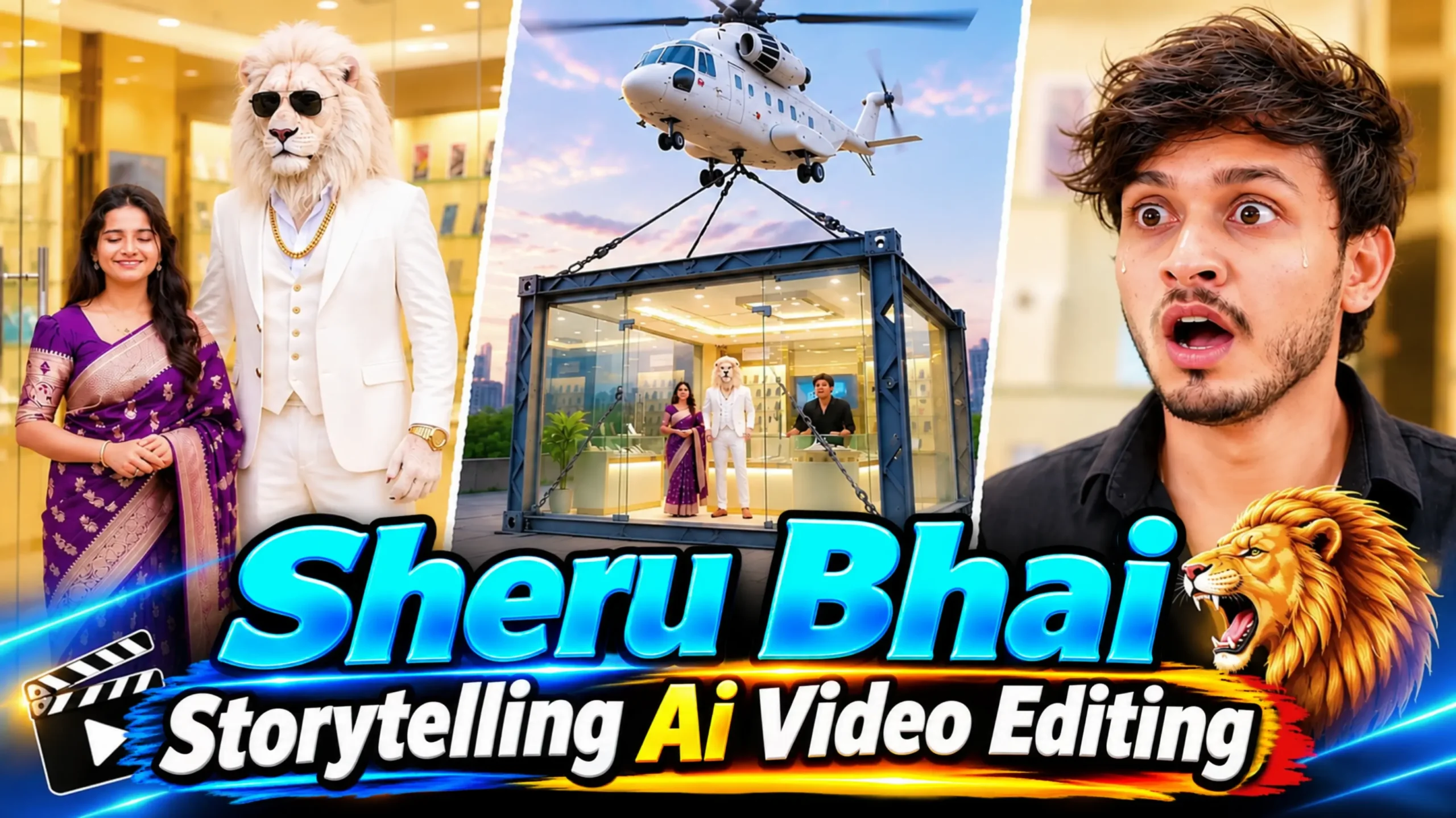
Friends aaplog social media par Sheru Bhai ki Ai video zaroor dekhe honge ye video Instagram, facebook aur youtube par bahut viral ho raha hai. Yese video par lakho mein like aur views mil rahe hai. Is video ko dekhne ke baad aap ye zaroor soche honge ki isko banaya kaise jata hai. To agar aap ek content creator hai, aur Sheru bhai ki video create karna chahte hai. To ye article aap ke liye upyogi ho sakta hai.
Aur ek baat aur ham kisi aur ki prompt copy karke video generate nahi karne wale hai. Yaha ham ek alag tarah ka story par focus karke Sheru Bhai ke sath aapna charector use karke video generate karne wale hai. Ham aapko step by step sabhi prosess batane wale hai taki aap bhi apne face ke sath realistic-looking video bana sakein.
Sheru Bhai Storytelling AI Video Editing Mein Kya Khaas Hai?
Is tarah ke Sheru Bhai Storytelling AI Video Editing mein ek sher (lion) ko insan ki tarah dikhaya jata hai. Jo insano ki tarah kapde pahana hota hai. Aur uska charector bhi bilkul ek insan ki tarah hi hai. Iske bhaad usko bahut amir aur interesting story dikhayi jati hai. Uske story mein emotional scenes, family scenes, dosti aur kai alag-alag tarah ke situations aur scene shamil hote hain.
Is Sheru bhai Ai videos ki ek bahut hi khaas baat inka AI Voiceover bahar se nahi karna hota hai, Ai tool hi voice generate kar deta hai. jo story ke scenes aur emotions ke according achhe se sunai deta hai. Iski script aur prompt AI ki madad se generate ki jati hai, jisse poori story ko ek cinematic andaaz mein present kiya jata hai. Lekin ham is video ko generate karne ke liye pahale se prompt generate kar ke rakhe hai. Jisase aapko jyada mehnat nahi karna hoga. Aap apni video aasani se generate kar sakte hai.
Is tarah ke Ai videos mein emotions ka sabse jyada dhyan rakha jata hai, taaki audience story ke characters se jud sake. Aur yahi wajah hai ki storytelling wale AI videos generate karke apne social media accounts upload kar rahe hai aur isase achha response bhi mil raha hai.
Video Prompt No. 1
Create a 10-second ultra-realistic cinematic video.
CHARACTER IDENTITY:
Use the uploaded man’s photograph as the mobile store owner and the uploaded girl’s photograph as the customer.FACE IDENTITY LOCK:
Preserve both original faces exactly. Do not change facial structure, eyes, nose, lips, hairstyle, skin tone or identity. Both characters must look exactly like their uploaded photographs.LOCATION:
A very luxurious Indian mobile showroom with golden interior lighting, glass display counters, expensive smartphones and a huge premium flagship smartphone displayed separately in the center.SCENE:
The girl enters the mobile showroom and walks toward the expensive smartphone display. She becomes impressed by the most expensive smartphone and points toward it.Girl asks politely in Hindi:
“भैया, ये वाला फोन कितने का है?”The shopkeeper picks up the phone, looks at the girl from head to toe and gives her a disrespectful smile.
He replies:
“ये फोन बहुत महंगा है मैडम!”CAMERA:
Start with a wide shot of the showroom, then show the girl entering, followed by a close-up of the expensive phone and both characters.Realistic acting, natural Hindi lip sync, cinematic camera movement, photorealistic 4K, vertical 9:16.
END FRAME:
The shopkeeper is holding the expensive phone while the girl stands in front of the counter.This exact moment must continue into Part 2.
No subtitles, no text, no watermark.
Video Prompt No. 2
Create a 10-second continuous cinematic continuation of Part 1.
IMPORTANT:
Continue from the exact last frame of Part 1. Same showroom, same counter, same smartphone, same lighting, same camera atmosphere, same clothes and same character positions.IDENTITY LOCK:
The uploaded man’s face and uploaded girl’s face must remain exactly identical to their original photographs. No face modification or character replacement.SCENE:
The shopkeeper looks at the girl arrogantly while holding the expensive smartphone.Shopkeeper speaks rudely in Hindi:
“तुम्हारी औकात से बाहर है ये फोन! यहां सिर्फ अमीर लोग खरीदने आते हैं।”The girl becomes upset but remains confident. She takes out her smartphone and calls her brother.
Girl says on the phone:
“भैया, आप जल्दी आओ। यहां एक दुकानदार बहुत बदतमीजी कर रहा है।”The shopkeeper laughs arrogantly in the background.
CAMERA:
Close-up of shopkeeper’s arrogant expression, close-up of girl’s disappointed face, then close-up of her calling on the phone.Natural Hindi lip sync, realistic expressions, dramatic cinematic background music, photorealistic 4K, vertical 9:16.
END FRAME:
The girl is standing beside the mobile counter holding her phone. The shopkeeper is standing opposite her.Continue this exact scene in Part 3.
Video Prompt No. 3
Create a 10-second ultra-realistic cinematic continuation of Part 2.
STRICT CHARACTER AND OUTFIT CONSISTENCY:
Use the exact uploaded reference photograph of the male shopkeeper.
VERY IMPORTANT:
The male shopkeeper MUST wear EXACTLY THE SAME BLACK SHIRT, SAME BLACK TROUSERS, SAME WATCH, SAME SHOES AND SAME HAIRSTYLE as shown in Part 1 and Part 2.DO NOT change, replace, recolor, redesign or modify his clothes in any way.
His face, hairstyle, beard, body appearance and clothing must remain 100% consistent with the previous scenes.
GIRL:
Use the exact uploaded girl’s reference photo. Preserve her original face, hairstyle, skin tone and the same outfit from Part 1 and Part 2. No clothing changes.SHERU BHAI:
Use the uploaded white lion reference image. Same pure white lion face, fluffy white mane, black sunglasses, all-white three-piece suit, golden chain and gold wristwatch. No changes.SCENE:
Continue from the exact final frame of Part 2.The girl is standing inside the same luxury mobile showroom holding her phone.
Outside, a luxurious white SUV arrives.
Sheru Bhai steps out wearing his signature all-white luxury suit and walks confidently toward the showroom.
He enters the store and stands beside his sister.
The shopkeeper, wearing his EXACT SAME BLACK OUTFIT from the previous parts, sees Sheru Bhai and becomes extremely shocked.
CAMERA:
Show the SUV arrival, Sheru Bhai walking in slow motion, then a close-up of the shocked shopkeeper.LOCATION:
Same luxury mobile showroom, same interior, same golden lighting and same display counters as previous parts.CONTINUITY RULE:
This is NOT a new movie scene. It is the direct next scene of the same video. Maintain exact character identities, clothes, accessories, location and visual style.Vertical 9:16, photorealistic 4K, natural movements, realistic Hindi expressions, cinematic lighting.
No new clothes, no outfit changes, no extra characters, no subtitles, no text, no watermark.
Video Prompt No. 4
Create a 10-second ultra-realistic cinematic continuation of Part 3.
IMPORTANT:
Start from the exact ending position of Part 3. Maintain the same luxury mobile showroom, lighting, characters, clothes and facial identities.CHARACTER IDENTITY:
The uploaded man’s face and girl’s face must remain unchanged. Sheru Bhai must remain the exact same white lion with the same white suit, white mane, sunglasses and gold accessories.SCENE:
Sheru Bhai stands confidently in front of the shopkeeper.Sheru Bhai asks in a deep powerful Hindi voice:
“मेरी बहन को ये फोन पसंद आया है। कितने का है?”
The shopkeeper nervously replies:
“सर, इस फोन की कीमत 2 करोड़ रुपये है!”
Sheru Bhai smiles slightly and says:
“मैंने फोन की नहीं, पूरी दुकान की कीमत पूछी है!”
The shopkeeper becomes even more shocked.
The shopkeeper replies nervously:
“सर, पूरी दुकान 2000 करोड़ की है!”
Sheru Bhai confidently looks at him and says:
“ठीक है! अब ये पूरी दुकान मेरी हुई!”
CAMERA:
Medium shot of Sheru Bhai, nervous shopkeeper close-up, girl smiling beside her brother.Accurate Hindi lip sync, dramatic expressions, cinematic lighting, photorealistic 4K, vertical 9:16.
END FRAME:
Sheru Bhai stands confidently inside the store while the shopkeeper looks shocked.
Video Prompt No. 5
Create a 10-second spectacular ultra-realistic cinematic final scene continuing directly from Part 4.
CHARACTER CONSISTENCY:
Use the exact uploaded face references of the shopkeeper and girl. Sheru Bhai must look exactly like the uploaded white lion reference. Maintain identical outfits and identities.SCENE:
Suddenly, a gigantic powerful white heavy-lift cargo helicopter appears above the luxury mobile showroom.The helicopter descends slowly and hovers directly above the entire showroom.
Extremely strong helicopter rotor wind blows through the showroom entrance.
Heavy industrial steel lifting cables descend from the helicopter and securely attach to a specially designed structural lifting frame around the entire showroom building.
The helicopter slowly lifts the WHOLE MOBILE SHOWROOM BUILDING off the ground.
Show the entire showroom rising into the sky with its glass walls, display counters, mobile phones and structure remaining intact.
Sheru Bhai stands confidently with his sister inside the showroom. The shopkeeper looks terrified and completely shocked.
The camera moves outside to reveal the entire mobile showroom being lifted high into the sky by the helicopter.
FINAL SHOT:
A spectacular wide aerial view of the complete mobile showroom hanging beneath the giant helicopter, flying away into the sky.Cinematic action movie style, realistic helicopter physics, powerful rotor sounds, dramatic background music, photorealistic 4K, vertical 9:16.
No building destruction, no collapsing walls, no extra characters, no subtitles, no text, no watermark.
Sheru Bhai Storytelling AI Video Kaise Banaye?
Friends is video ko generate karna jyada bada kaam nahi hai. Aap bahut aasani se prompt ko use karke generate kar sakte hai. To agar aapko bhi yese video generate karna hai, to aap niche diye gaye step ko dhyan se dekhe aur video generate karein.
- Sabse pahale is post mein diye gaye 5 prompt mein se 1 prompt ko copy button par tap karke copy karein.
- Ab “Google Flow AI” ki official website open karein aur “New Project” button par tap karein.
- Iske baad upar diye gaye (+) icon par tap karein aur ladka ka photo, ladki ka photo aur ek Sheru bhai ka photo upload karein.
- Fir niche (+) icon par tap karein aur sabse pahale apna photo fir ladki ka photo fir Sheru bhai ka photo add karein.
- Iske baad prompt box mein prompt paste karein aur setting par tap karke video section ko select karein, aspect ratio 9:16, video quality 720p, aur duration 10s aur 1x select kar ke done karke send karein.
- Ab kuchh time wait karein aapka video generate ho jayega generated video ko save kar lein.
- Iske baad second prompt copy karein aur fir flow ai mein (+) icon par tap karke apna photo add karein, fir ladki ka photo, fir Sheru bhai ka photo aur jo video abhi generate hua hai usko bhi add kar lein.
- Ab prompt box mein prompt paste karke send karein aur video generate hone ka wait karein, generate hone ke baad save kar lein.
- Isi prosess ko follow karke aap 5 prompt ka use karke 5 clip generate kar ke save kar lein.
- Ab last mein sabhi video ko add karke ek background music add karke final ek video create karke save kar lein.
Final Word
Friends, is prosess ka use karke aap Google Flow AI mein apne face aur Sheru Bhai ke charector ke sath unique realistic AI storytelling video create kar sakte hai. Bas aap diye gaye prompt aur aasan step ko dhyan se follow karein. Video ko shandar banane ke liye editing app mein sabhi clip ko timeline par jode aur usefull effect aur background music lagayein.